


2D floorplans are scaled, top-down drawings that show a property’s layout with room labels and key dimensions. For Maple Ridge listings, we capture measurements at 13260 236 St and across Metro Vancouver, then deliver clear, branded plans that pair with HDR photos and video tours—helping buyers visualize flow, size, and fit before they book a showing.
By Silver Valley Studios Inc.
Last updated: May 1, 2026
Overview and Table of Contents
This complete guide explains what 2D floorplans are, why they matter, how they’re created to industry standards, and how Silver Valley Studios integrates plans with HDR photos, cinematic video, and drone. Use the table of contents to jump to definitions, workflows, best practices, tools, local tips, case studies, and FAQs.
Use this guide to plan, brief, and review your next floor plan deliverable. You’ll see how accurate plans reduce friction, answer buyer questions faster, and lift engagement across MLS, social, and print.
- What are 2D floor plans?
- Why 2D floor plans matter
- How 2D floor plans are made
- Types and delivery formats
- Best practices for clarity
- Tools and resources
- Local logistics: Maple Ridge & Metro Vancouver
- Case studies and examples
- 2D vs 3D tours vs photos
- Implementation checklist & timeline
- FAQ
- Conclusion & next steps

What are 2D floor plans?
A 2D floor plan is a scaled, top-down drawing that shows walls, doors, windows, room labels, and key dimensions. It communicates layout and flow at a glance, helping buyers understand size, circulation, and furniture fit before an in‑person tour or 3D walkthrough.
Think of 2D floorplans as the universal language of space. Even without architectural training, buyers can compare rooms, visualize traffic patterns, and assess how their furniture might fit.
What a solid 2D plan includes
- Scaled layout: Exterior footprint, interior walls, and door swings.
- Room labeling: Names and approximate dimensions for every major space.
- Openings and fixtures: Windows, closets, kitchen and bath fixtures where relevant.
- Orientation aids: A north arrow and simple legend for quick reading.
- Branding: Brokerage, agent info, and property address in a tidy footer.
Where 2D plans show up
- MLS and brokerage sites: A fast, scannable asset next to photo galleries.
- Marketing packages: Integrated with professional photography and video.
- Social media: Cropped frames for carousels or reels to tease layout.
- Print materials: Feature sheets and open-house handouts.
For busy buyers, a good plan removes guesswork. It answers “Will our sectional fit?” or “Can we add a home office alcove?” without leaving the listing page.
Why 2D floor plans matter
2D floorplans increase buyer confidence by clarifying layout, flow, and scale. They shorten decision cycles, reduce back‑and‑forth questions, and boost engagement when paired with HDR photos and cinematic tours—helping listings earn more saves, showings, and stronger offers.
Online attention is scarce. When a plan sits beside visuals, visitors stay longer, compare rooms faster, and self‑qualify. That reduces surprises at showings and leads to better conversations.
- Context for photos: Images tell the story; the plan anchors it.
- Answer common objections: “Is the primary suite split from kids’ rooms?”
- Support appraisal & measurements: Clear depiction of gross living area methodology.
- Social performance: Carousels that mix hero shots and plan snippets hold attention.
At Silver Valley Studios, we package plans with media that performs. Explore our services overview to see how floor plans plug into photo, video, and drone for a cohesive release.
How 2D floor plans are made (workflow and standards)
Creating a reliable 2D floor plan involves on‑site measurement with laser tools, clean drafting in specialized software, and a QA step that validates room names, dimensions, and totals against field notes. The result is a scaled, branded PDF/PNG that aligns with recognized measurement conventions.
Field measurement
- Tools: Laser distance meter, tape, notepad/tablet, extra batteries.
- Approach: Walk exterior and each interior level; note irregularities and sloped ceilings.
- Data: Overall footprint, room spans, window/door positions, and stair geometry.
Drafting and QA
- Draft: Trace the shell, place interior walls, add door swings and windows.
- Annotate: Room names, key dimensions, and orientation aids.
- Validate: Cross‑check square footage roll‑ups against field measurements.
Reporting conventions
- Clarity first: Simple line weights, high contrast, and legible labels.
- Method transparency: Note what’s included/excluded from reported area.
- Deliverables: Print‑ready PDF, web PNG, and source for quick edits if needed.
Our team often completes measure‑to‑delivery the same day for straightforward homes when scheduled with video services, keeping your launch timeline tight and coordinated.
Types of 2D floor plans and delivery formats
Most listings benefit from a clean black‑and‑white plan with labeled rooms and select dimensions. Options include furnished vs. unfurnished styles, colored zoning, and brand‑first footers. Deliverables typically include web‑optimized PNGs and a high‑resolution PDF for print.
Visual styles we produce
- Classic monochrome: Crisp line art that prints cleanly.
- Soft grayscale fills: Light shading that separates rooms without clutter.
- Furnished vignettes: Minimal furniture icons to convey scale at a glance.
- Color accents: Subtle brand colors in the title block or zoning.
Annotation options
- Room labels and key dims: Enough data to guide, not overwhelm.
- Orientation & legend: North arrow, level names, and symbols key.
- Notes: Clarify below‑grade areas, limited‑height spaces, and exclusions.
File outputs
- PNG (web): Fast‑loading assets for MLS and social.
- PDF (print): Feature sheets and open-house packages.
- Source (by request): For quick revisions on multi‑phase projects.
For a cohesive stack, we align floor plan branding with your photo captioning, video titling, and feature sheet layout from our services overview.
Best practices for accuracy and readability
Keep plans simple, accurate, and easy to scan. Use clean line weights, consistent labels, and selective dimensions. Document what’s included in reported area, and always pair plans with photos and video so buyers can connect measurements to real rooms.
Accuracy matters
- Measure twice: Confirm critical spans and diagonals; re‑walk odd angles.
- Cross‑check totals: Ensure level and overall square footage reconcile.
- Note assumptions: Call out sloped ceilings, unfinished spaces, or utility rooms.
Design for scanning
- Hierarchy: Bold room names, light linework, generous spacing.
- Minimalism: Include only helpful furniture icons; avoid visual noise.
- Contrast: Black/gray on white for crisp prints; subtle color for digital.
Integrate with media
- Photo anchors: Match plan vantage points to your HDR photos.
- Video beats: Use overlays in cinematic tours to connect spaces.
- Drone context: Exterior plan plus aerials help orient lot lines and outdoor areas.
Clean plans reduce cognitive load, letting layout and value take center stage. That’s the point.
Tools and resources for realtors and teams
A dependable floor plan toolkit includes a laser distance meter, backup tape measure, tripod or clipboard, and reliable drafting software. Standardize your file naming and review checklist so each listing publishes with a plan that’s clear, branded, and MLS‑ready.
Capture kit
- Laser meter: Fast, precise spans with minimal crew footprint.
- Tape measure: Verifies tricky diagonals and alcoves.
- Clipboard/tablet: Log room notes and orientation details.
Drafting software
- Pro CAD or planning apps: Choose tools that export clean PDFs and PNGs.
- Brand templates: Lock footers, fonts, and color accents across listings.
- QA checklist: Validate names, totals, orientation, and readable dims.
Want a primer on visuals that complement plans? See this practical property photography guide for context around composing images that pair well with layout diagrams.
Already building immersive assets? A short overview of virtual tour benefits explains how interactive media reduces friction for remote decision-makers, which aligns neatly with the clarity that plans provide.
Local logistics in Maple Ridge and Metro Vancouver
For Maple Ridge and the broader Metro Vancouver market, we schedule 2D floorplans to align with photography and video on the same day. That minimizes property disruption and accelerates listing launch while capturing accurate measurements under consistent site conditions.
Local considerations for Maple Ridge
- Plan shoots around outdoor traffic near Maple Ridge Park on sunny weekends; aim for quieter weekday windows.
- Expect winter rain and earlier dusk—group floor plans, photos, and video to keep interiors consistent.
- Homes near WildPlay Maple Ridge can have unique lot geometry; allow a few extra minutes for exterior spans.
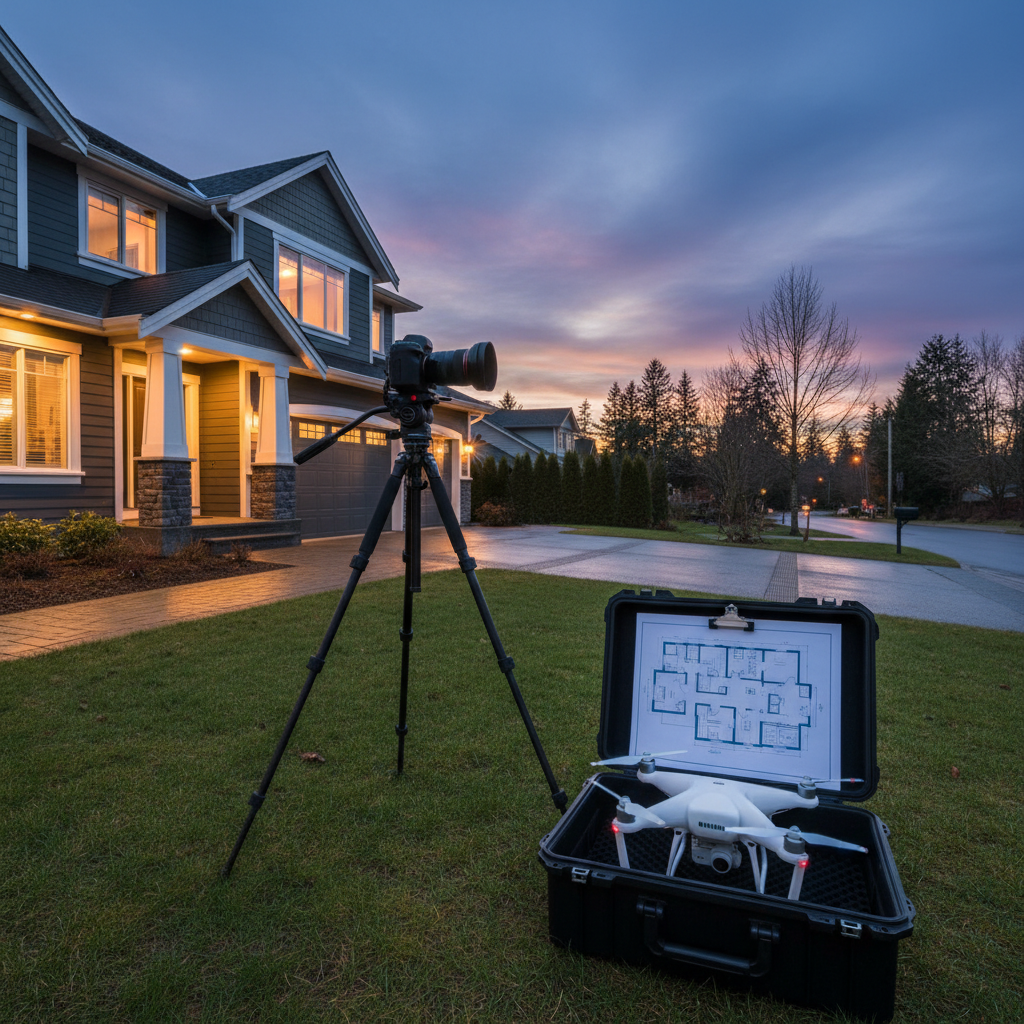
Coordinating with one vendor means fewer visits and simpler approvals. Our service packages are designed so you can brief once and receive a consistent visual stack.
Case studies and examples
The strongest proof is how plans perform in the wild. Here are snapshot examples of plans paired with photography, video, and drone that clarified layout questions and accelerated decisions across different property types.
Downtown Vancouver luxury condo
- Challenge: Buyers struggled to understand corner‑suite angles from photos alone.
- Approach: Clean monochrome plan + labeled window walls; photo angles keyed to the plan.
- Result: Fewer layout questions and faster booking cadence. See the visuals in our condo portfolio feature.
Corporate office space in Metro Vancouver
- Challenge: Tenants needed to evaluate meeting room counts and open‑desk zones quickly.
- Approach: Zoning with soft grayscale fills and furniture icons for scale.
- Result: Decision‑makers shortlisted within a single review cycle—see our commercial shoot highlight.
Family home in Maple Ridge
- Challenge: Multi‑level layout with a split entry confused buyers skimming MLS on mobile.
- Approach: Two stacked plans (main/upper) with clear circulation arrows; short vertical video walkthrough.
- Result: Cleaner expectations at showings and quicker offers tracked by the listing team.
Browse more results in our portfolio and notice how every plan integrates with HDR photos, cinematic tours, and aerials for full context.
2D floor plans vs 3D tours vs photos
2D plans are the fastest way to communicate layout. Photos provide emotion and detail. 3D tours add interactivity for remote buyers. The best listings combine all three so people can feel the space, verify the plan, and explore at their own pace.
| Asset | Best for | Strengths | Limitations |
|---|---|---|---|
| 2D floor plan | Layout clarity | Fast to read; great for comparisons; easy to print | Low visual texture; needs photos to convey finishes |
| Photography | Emotion + detail | Highlights light, finishes, and lifestyle | Can’t show full layout by itself |
| 3D/virtual tour | Remote exploration | Immersive, interactive, great for out‑of‑town buyers | Longer capture time; some users prefer quick summaries |
For another angle on spatial planning tradeoffs, this overview of 2D vs 3D design in interiors echoes why flat plans communicate layout quickly while 3D sells immersion.
Implementation checklist and timeline
Use a simple checklist to keep your listing on track: book capture, prep the property, measure, draft, QA, and publish with photos and video. A coordinated day reduces disruption and gets you to market faster with a consistent visual story.
- Book your stack: Floor plan + photos + video + optional drone with one vendor.
- Prep the home: Declutter surfaces; ensure all rooms are accessible.
- Meet on site: Walk the layout; confirm levels and special notes.
- Measure efficiently: Laser spans first; verify with tape where needed.
- Draft cleanly: Minimal icons, clear labels, and selective dimensions.
- Quality review: Reconcile measurements, check legends, export web/print.
- Publish together: Pair plans with HDR images and cinematic tours.
- Social rollout: Use carousels that mix hero shots and plan snippets.
- Feedback loop: Track common questions and iterate your template.
- Archive & reuse: Keep source files for future phases or relists.
Want a one‑brief setup? We handle plans, photos, video, and drone in a single coordinated visit. Explore our services and tell us your launch date.
Frequently Asked Questions
These quick answers address the questions we hear most from Greater Vancouver agents about 2D floorplans—accuracy, what’s included, timelines, and how plans pair with other media for a faster, clearer launch.
What does a standard 2D floor plan include?
A standard plan shows walls, doors, windows, room labels, and select dimensions. We also include a north arrow, level names, and a branded title block. Notes clarify any exclusions or limited‑height areas so expectations are accurate.
How long does it take to measure and deliver?
Most single‑family homes can be measured in well under two hours, with drafting and QA typically completed shortly after. When we coordinate with photo and video on the same day, listings often publish their full media stack soon after approvals.
Do you provide furnished or colored plans?
Yes—along with classic black‑and‑white. Furnished vignettes help communicate scale, while subtle color accents can separate zones. We’ll recommend a style based on audience, property type, and where the plan will be used (MLS, print, or social).
How do 2D plans work with 3D tours?
They complement each other. The plan gives a fast spatial overview so buyers know what to look for. The 3D tour lets them explore details interactively. Publishing both—alongside strong photography—covers every decision style.
Conclusion and next steps
2D floorplans turn listing browsers into confident bookers by clarifying layout fast. Pair them with polished photo, video, and drone, and your release feels complete on day one. Brief once, capture once, and publish a stack that answers buyer questions before they’re asked.
Key takeaways
- 2D floorplans communicate layout faster than any other asset.
- Keep plans simple, legible, and consistent with your brand.
- Publish plans with photos, video, and aerials for full context.
- Coordinate capture in Maple Ridge and Metro Vancouver to minimize disruption.
Ready to line up your next listing in Maple Ridge or anywhere across Greater Vancouver? Visit our About page to learn how we work, then browse our portfolio and lock your shoot date.
Related Articles (topics to explore)
To deepen your listing toolkit, explore adjacent media that pairs cleanly with 2D floorplans: HDR photography for light and texture, cinematic video for narrative, and aerials for context. Combining these assets creates a frictionless buyer journey.
For a deeper dive into visuals that complement your plans, review our photography service details and videography services. For inspiration across property types, scan the latest work in our portfolio.