


Drone imaging is the capture of high-resolution photos and video from aerial platforms to create marketing, documentation, and survey-grade visuals. At our Maple Ridge, BC studio—Silver Valley Studios Inc.—we use drone imaging to elevate real estate listings, brand stories, and commercial spaces across Greater Vancouver and Vancouver Island for measurable impact.
By Sumeet S., Founder & CEO — Silver Valley Studios Inc.
Last updated: 2026-06-02
Overview
This complete guide explains what drone imaging is, why it matters for listings and brands, and how flights are planned, executed, and edited. You’ll learn proven methods, compliance tips, tools, and real examples from our Maple Ridge work—plus a concise FAQ to help you brief your next project with confidence.
Use this overview to jump to what you need right now.
- What is drone imaging?
- Why it matters for listings and brands
- How drone imaging works (step-by-step)
- Types, angles, and flight methods
- Best practices and compliance in BC
- Tools and resources we trust
- Case studies and examples
- Pricing factors and packaging (no numbers)
- FAQ
- Conclusion and next steps
What Is Drone Imaging?
Drone imaging is the practice of capturing aerial photos and video using remotely piloted aircraft systems to reveal context, scale, and sightlines you can’t get from the ground. It combines safe flight operations, camera control, and post-production to deliver ready-to-market visuals for listings, brands, and commercial spaces.
In our experience across Greater Vancouver, drone imaging adds the “why this property” context buyers crave. Aerials show lot lines, roof condition, landscaping, nearby amenities, and how light hits the home at sunrise or sunset. For brands, it highlights location, access, and experience—details viewers often scan for in the first 5–10 seconds.
- What it includes: Still photos, cinematic video clips (3–10 seconds each), orbit and reveal shots, top-down “nadir” views, and pullbacks showing neighborhood context.
- Why it works: Humans orient faster when they see the big picture first, then details. Aerial context shortens that mental leap.
- Where it fits: Real estate photo/video packages, social reels, website hero sections, and commercial property profiles.
At Silver Valley Studios, we bundle aerial coverage with real estate videography, HDR listing photos, and 2D floorplans within our services to deliver a cohesive story from sky to interior.
Why Drone Imaging Matters
Drone imaging drives faster understanding and stronger engagement. It clarifies location, orientation, and lifestyle value in seconds—accelerating buyer screening, boosting watch time on video, and giving brands distinctive visuals for social, web, and ads that outperform generic ground-only content.
Here’s the thing: buyers and customers judge quickly. A clean 6–12 second aerial opener often sets the hook before interior shots roll. We see this across listings and branded content—shorter time-to-first-inquiry, better watch completion, and more saves on social reels when a project opens with sky context.
- For listings: Aerials emphasize commute access, curb appeal, lot size, and neighborhood tranquility—key screening factors for serious buyers.
- For developers: Track build progress, showcase amenities, and produce milestones—monthly aerials document change far better than ground snapshots.
- For SMBs and restaurants: Highlight parking, patio seating, and foot traffic patterns; capture that “I want to be there” ambiance for ads and menus.
We pair sky shots with vertical video so agents and brands can repurpose footage to Instagram and TikTok efficiently. It’s common for a single flight to yield 12–20 clips and 8–15 polished stills that fuel multiple posts, a property tour, and a website banner—without reshooting.
How Drone Imaging Works
A solid aerial workflow covers preflight planning, on-site safety checks, controlled flight paths, camera exposure management, and editing. We document each step so the deliverables slot cleanly into your listing, social channels, and branded stories without rework.
Below is the practical process we follow on every Maple Ridge and Greater Vancouver flight. It keeps crews safe, neighbors comfortable, and footage consistent across properties and brands.
| Stage | What we do | Why it matters | Example outcome |
|---|---|---|---|
| Preflight brief | Confirm mission goals, no-fly limits, wind, sun angle, lens choices, and shot list (8–12 planned moves). | Aligns creative with safety and timing; cuts guesswork on-site. | Finalize 3 reveals, 2 orbits, 1 top-down, and 2 neighborhood flyovers. |
| Site scan | Walk perimeter; note trees, power lines, and reflective surfaces; pick safe launch/recovery zones. | Prevents mid-flight surprises and drift-induced retakes. | Choose two launch spots to cover front and backyard angles. |
| Flight paths | Program or rehearse paths: orbits (45–60 s), pulls, push-ins, and parallax moves at 2–6 mph. | Produces smooth, repeatable shots suited for 4K video edits. | Set 2 mph micro-moves for tight spaces; 5 mph for neighborhood pulls. |
| Exposure control | Use ND filters, fixed white balance, and manual shutter/ISO; bracket stills for HDR blending. | Prevents flicker and blown highlights; ensures natural color. | Lock 1/120 shutter for 60 fps; bracket +/-2 EV for stills. |
| Data check | Review in the field; confirm horizon level and focus; back up media before leaving. | Saves reshoot time and keeps delivery on schedule. | Flag one replacement orbit; capture again while still on-site. |
| Edit and grade | Stabilize, denoise, color-match to interiors; blend HDR; export social and web formats. | Delivers a single, cohesive visual story across channels. | One 60–90 s tour, 3 reels, 12 stills, and a website hero. |
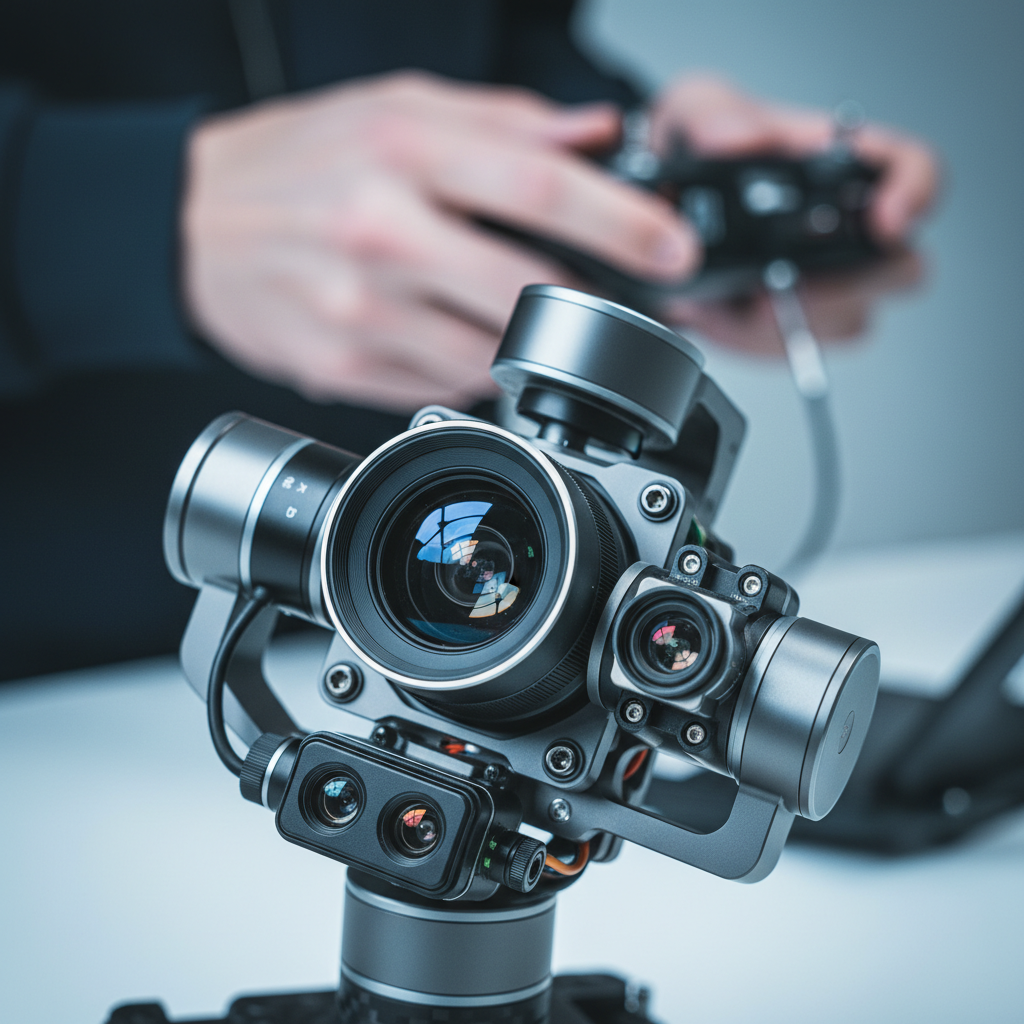
Because our team also produces interior HDR photos, full tour videos, and 2D floorplans, we match sky footage to ground visuals for an end-to-end story. That continuity reduces edit time and helps agents publish a listing package faster.
Types, Angles, and Flight Methods
Great drone imaging balances cinematic moves with utility shots. We combine reveals, orbits, and parallax passes with top-down stills and neighborhood flyovers—so buyers grasp the setting fast, then enjoy the beauty shots that keep them watching.
These are our most bankable shots for listings, commercial projects, and social-first brand pieces in Greater Vancouver and Vancouver Island.
- Nadir top-down: Square-on roof and lot view. Ideal for showing shape, drainage lines, patios, and boundary context.
- Orbit (low/medium): 360-degree move around the subject at 2–4 mph. Adds cinematic depth and reveals landscaping.
- Parallax pass: Fly laterally while yawing opposite. Creates dynamic foreground-to-background motion.
- Pullback reveal: Start close, then ascend and back up to reveal views, trails, or water features.
- Neighborhood flyover: 150–300 feet AGL to show access roads and area vibe; keep speed steady for mapping clarity.
- Golden-hour opener: 6–12 second hero shot with consistent horizon and flare-controlled highlights.
For restaurants and SMBs, we favor quick 3–5 second moves that cut well into vertical video: a low orbit over patio seating, a diagonal pull showing parking, and a top-down to brand signage. Those clips combine with interior close-ups to deliver a thumb-stopping reel under 15 seconds.
Best Practices and Compliance
Safe, compliant flights protect people, property, and your brand. We plan around weather, airspace, and privacy, then brief on-site so neighbors and crew feel comfortable. This matters especially in Maple Ridge and across BC, where variable wind and tree cover can change conditions quickly.
Our Maple Ridge team flies with a conservative safety margin. Even light gusts can push a drone off a planned line by several feet at 200–300 feet AGL. We adjust flight speed to 2–4 mph for tighter orbits, use obstacle sensing in approach phases, and avoid hovering over people or vehicles.
- Weather discipline: We check wind at multiple altitudes; gust differentials of 5–10 knots affect stability and battery life.
- Sun angle control: Schedule for golden hour or bright overcast to minimize glare on windows, roofs, and water.
- Privacy respect: Frame out neighboring yards when possible; keep top-downs tight to the subject parcel.
- Battery strategy: Plan 2–3 batteries per property for 20–30 minutes of safe flight per pack with reserves.
- Data stewardship: Back up media before leaving site; keep project folders structured for quick handoff.
Local considerations for Maple Ridge
- Schedule shoots around typical Pacific Northwest cloud layers—bright overcast often delivers the most natural color for exteriors.
- Build time for wind lulls; tree cover and nearby slopes can create localized gusts that favor slower, smoother moves.
- Coordinate with listing agents about neighborhood timing; quiet windows help capture cleaner audio beds and steadier aerials.
When we integrate sky with interiors and property video tours, we color-match drone footage to interior white balance so transitions feel seamless. Consistency increases watch completion on both horizontal edits and vertical reels.
Tools and Resources We Trust
Reliable gear and disciplined settings beat spec sheets. We pair stabilized aircraft with ND filters, manual exposure, and repeatable flight paths. Then we finish with color-managed editing so aerials match interior HDR photos, 2D floorplans, and your brand palette.
We keep the kit simple and repeatable for crews working across Maple Ridge, Surrey, and Vancouver Island.
- Aircraft and optics: Stabilized drone with 1-inch or larger sensor, wide lens for reveals, and tele for parallax compression.
- Filters and exposure: ND 8/16/32 to maintain 1/60–1/120 shutter; fixed WB for consistent color across a session.
- Controllers and safety: Return-to-home set with altitude margin; obstacle sensing enabled during approach and landing.
- Editing: Color-managed workflow; match sky footage to interiors for one coherent look.
- Delivery formats: 4K horizontal master, 1080×1920 vertical reels, and 12–20 optimized stills.
Because Silver Valley Studios delivers more than aerials—see our full services and portfolio—we organize media to publish fast: MLS-ready stills, a flagship tour, and social cuts your team can post the same day.
Need help planning your next listing or brand shoot? We offer quick creative briefs and shot lists that combine sky, interiors, and floorplans—so you go to market faster. Start a conversation on our contact page.
Case Studies and Examples
Strong aerials do two jobs: orient quickly and inspire emotionally. These mini-examples show how we combine drone moves with interiors, floorplans, and vertical video to lift engagement and speed up buyer inquiries across Maple Ridge and the broader BC market.
Below are practical scenarios we’ve encountered serving realtors, developers, restaurateurs, and small businesses.
- Maple Ridge single-family listing: We opened with a 7-second pullback revealing mountain backdrop, followed by a nadir shot for lot lines. Watch completion rose when the tour cut to interiors within 15 seconds.
- Surrey new-build progress: Monthly orbits from the same altitude documented framing, roofing, and landscaping. A side-by-side reel stitched 6 months of change into under 20 seconds.
- Coquitlam townhouse row: A lateral parallax pass showed uniform design and proximity to green space. This paired well with a 2D floorplan to clarify layout differences between units.
- Abbotsford acreage: Top-down sequences highlighted fencing, outbuildings, and access roads. We delivered both 4K clips and 12 stills to support MLS and social.
- Vancouver Island resort brand: Sunrise orbit over water and pathways, then a top-down of pools and patios. The vertical reel led with the orbit for immediate allure.
- Restaurant patio reveal: Low-altitude orbit over seating, then a pull-in to the entrance before cutting to hero dishes. The sequence anchored a 12-second reel.
- Corporate office profile: Aerials showed parking and access, then interior team shots. See a related commercial example in our corporate office shoot.
- Burnaby infill: Neighborhood flyover clarified transit access; a nadir still showed compact lot efficiency.
- Langley estate: Golden-hour opener emphasized driveway approach; tele parallax passes added drama without flying high.
- Mission riverside home: Pullback revealed water proximity while maintaining privacy with careful framing.
- Richmond retail strip: Side-angle flyover mapped parking flow; stills supported a short leasing brochure.
- Chilliwack hobby farm: Nadir sequencing displayed pens and irrigation lines; quick orbit captured mountain views.
- Small fitness brand: Exterior aerial to show gym access, then vertical clips of classes. The reel lifted saves and shares week-over-week.
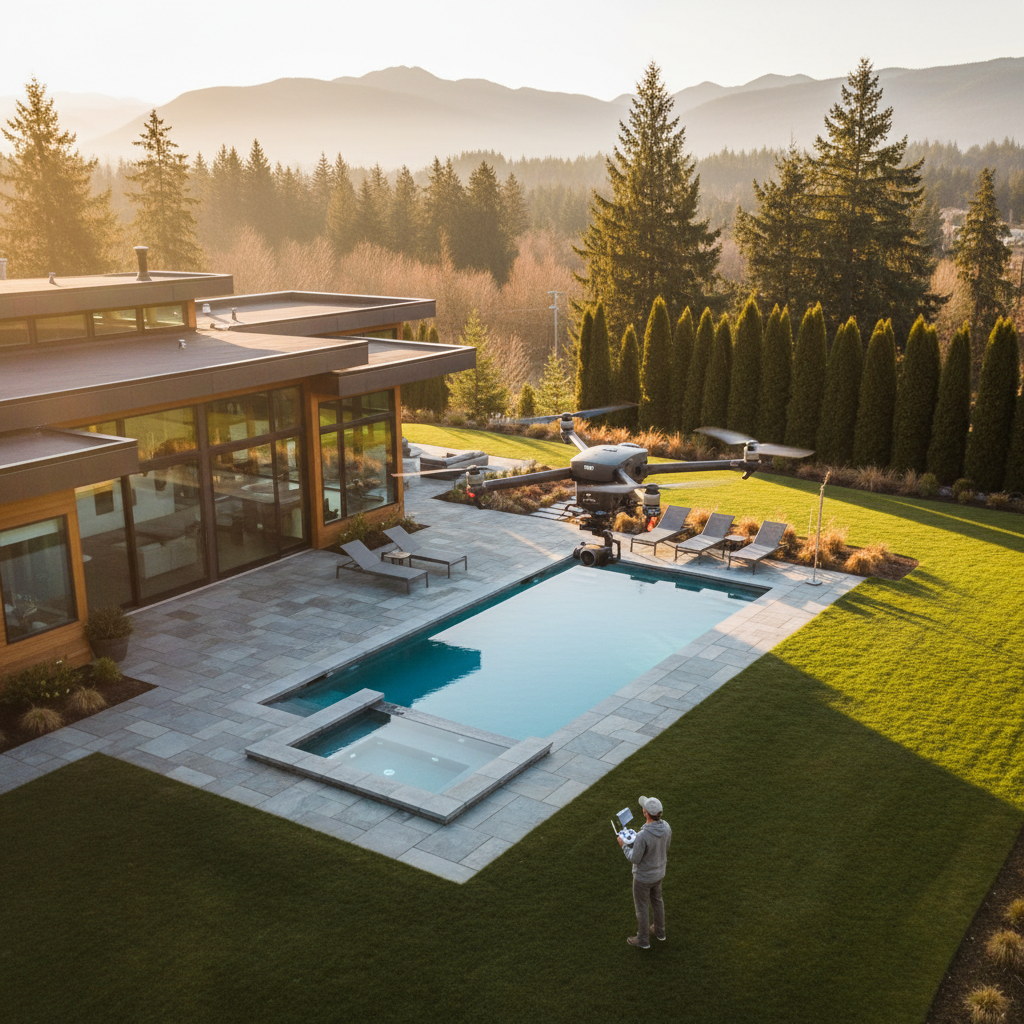
Want more commercial examples? Browse our project portfolio or learn about our video services for property tours and branded content.
Pricing Factors and Packaging
We scope aerial work by goals, site complexity, and deliverables—not flight minutes. Clear briefs that combine drone, interiors, 2D floorplans, and social cuts create cohesive packages and faster turnarounds without adding separate vendors or redundant on-site time.
To keep this educational (and vendor-neutral), here’s how we structure planning discussions with realtors, developers, and SMBs.
- Property type and access: Single-family homes, townhomes, commercial plazas, and acreage have different perimeter and altitude needs.
- Shot list size: Expect 8–12 planned aerial moves, 8–15 stills, and 1–3 vertical edits for social when paired with interiors.
- Airspace and neighbors: Sensitive zones, public events, or unique privacy needs can affect timing and crew size.
- Weather windows: Golden hour and bright overcast are ideal; plan backup slots in case of wind or rain.
- Integration: Bundling aerials with floorplans and videography reduces coordination overhead and speeds delivery.
We also consider how assets will be used—MLS galleries, websites, brochures, and reels—so crops, aspect ratios, and color match across channels. For design context on print and collateral, you can explore practical ideas like flyers vs. brochures and virtual tour usage or learn about branding basics before planning your next listing package.
Frequently Asked Questions
These quick answers will help you brief, schedule, and publish aerial media confidently. If you need hands-on help, our team in Maple Ridge can plan start-to-finish coverage across Greater Vancouver and Vancouver Island.
What is the ideal time of day for aerial real estate shots?
Golden hour and bright overcast are the safest bets. Golden hour adds warmth and long shadows that define landscaping. Overcast reduces glare on windows and pools, which makes color matching to interior footage easier for clean, consistent edits.
How many aerial clips do I need for a property tour?
Plan for 8–12 cinematic moves: a mix of orbits, reveals, parallax passes, top-downs, and a neighborhood flyover. That number gives editors enough variety to open the tour, bridge transitions, and create 1–3 vertical reels without reshoots.
Can you match aerial color to interior HDR photos?
Yes. We lock white balance during flight and use a color-managed edit so drone footage matches interior HDR photos and floorplan palettes. Consistent color across sky and ground assets boosts watch completion and helps your brand look polished.
What if weather changes on shoot day?
We plan backup windows and adjust flight paths for wind. If conditions won’t deliver safe, clean footage, we reschedule the aerial portion and keep any interior or brand work that still makes sense. Clear briefs help protect your timeline.
Conclusion: From Sky to Story
Drone imaging delivers fast orientation and emotional lift—two things that move buyers and customers to act. When paired with interiors, floorplans, and social cuts, you get a cohesive story that publishes quickly and performs across MLS, web, and vertical platforms.
Key takeaways:
- Lead with an orienting aerial, then cut to interiors within 10–15 seconds to maintain attention.
- Plan 8–12 sky moves and 8–15 stills; match color to interiors for a seamless look.
- Schedule golden hour or bright overcast; leave margin for wind and battery swaps.
- Bundle aerials with video tours, HDR photos, and 2D floorplans to go live faster.
Ready to brief your next project? Tell us about your listing or brand goals on our contact page, or learn more about our team before you book. We serve Maple Ridge, Greater Vancouver, and Vancouver Island.