


A corporate photoshoot is a planned photography session that produces professional headshots, team portraits, and brand visuals for companies. It standardizes your image library for websites, proposals, and social media. Silver Valley Studios Inc. runs corporate photoshoots from our Maple Ridge, BC base at 13260 236 St to deliver consistent, on-brand results.
By Sumeet S., Founder & CEO, Silver Valley Studios Inc.
Last updated: 2026-06-17
Quick Summary
Plan your corporate photoshoot by defining purpose, creating a shot list, scheduling teams in 10–15 minute slots, and preparing wardrobe guidelines. Use consistent lighting and backgrounds to maintain brand cohesion. Silver Valley Studios provides headshots, team portraits, and video add-ons, ensuring delivery formats for web (72 DPI), print (300 DPI), and social crops.
Use this guide as your playbook for planning, shooting, and activating images that fit your brand voice. We focus on clear steps, practical checklists, and Maple Ridge–ready logistics.
- What a corporate photoshoot includes and why it matters
- Step-by-step process from pre-production to delivery
- Best practices for headshots and group portraits
- Tools we use (lighting, lenses, and software)
- Local logistics across Maple Ridge and BC
- Mini case studies from real engagements
At a glance (TOC)
- What is a corporate photoshoot?
- Why it matters
- How the process works
- Types of photos and approaches
- Headshot and team photo best practices
- Tools and resources
- Planning in Maple Ridge, BC
- Case studies and examples
- FAQ
- Conclusion and next steps
What Is a Corporate Photoshoot?
A corporate photoshoot is a structured session that creates headshots, team portraits, workplace images, and brand visuals for business use. It aligns lighting, backgrounds, and framing so every image feels on-brand. The outcome is a consistent library sized for web, print, slide decks, and social media formats.
In practice, this can include executive headshots, department group photos, candid culture moments, workspace details, and environmental portraits on location. Sessions often run in 10–15 minute increments per person, enabling 20–40 headshots in a single day while maintaining quality and uniformity.
- Core outputs: individual headshots, team photos, leadership portraits, culture candids, workspace details, and hero images.
- Delivery formats: 4:5 and 1:1 crops for social, 16:9 for web banners, and high-resolution TIFF/JPEG for print at 300 DPI.
- Session styles: studio-style seamless (white/gray/brand color), environmental portraits, and lifestyle/documentary coverage.
At Silver Valley Studios, we combine clean HDR-influenced lighting with cinematic composition. Our mixed portfolio across real estate media, brand content, and corporate events means we bring refined lighting, fast on-site setup, and a calm, efficient flow to busy teams.
Why a Corporate Photoshoot Matters
Corporate photography shapes first impressions, boosts brand trust, and increases content performance. Unified headshots reduce design friction, while authentic workplace images improve website dwell time and social saves. The result is clearer messaging and stronger perception in proposals, recruiting, and press.
People process visuals in milliseconds, and consistent imagery reduces cognitive load for your audience. For decision-makers, uniform headshots and clean team photos reduce layout edits in pitch decks and career pages, saving hours of production time each quarter.
- Brand cohesion: Matching light direction, color temperature (around 5500K), and framing yields a consistent look across every profile.
- Recruiting assets: Culture photos spotlight values, improving candidate resonance and helping HR share updates in 1–2 clicks.
- Sales enablement: Customer-facing decks benefit from professional leadership images sized to 16:9 and 1920×1080 hero slides.
- Social traction: Vertical-friendly 9:16 crops, with space above the head, help Reels and Stories feel native and reduce on-screen cropping.
We’ve found that teams who refresh visuals every 6–12 months keep pace with role changes and maintain accurate org pages. That cadence also pairs well with seasonal campaigns and annual reports.
How a Corporate Photoshoot Works (Step-by-Step)
Define goals, plan the shot list, confirm schedule logistics, and set wardrobe rules. On shoot day, we run 10–15 minute headshot slots, group photos by department, and capture culture moments. Files are delivered in web, print, and social sizes with a clear naming convention for easy reuse.
Pre-production
- Clarify purpose (1–2 sentences): recruiting page refresh, leadership reveal, new office opening, or press kit update.
- Create a shot list (12–25 items): headshots (all staff), 2–3 group setups, 4–6 workplace candids, and 3–5 detail cutaways.
- Choose style:
- Studio-style seamless in white/gray/brand color for uniformity.
- Environmental portraits with shallow depth of field (f/2.8–f/4).
- Lifestyle/documentary coverage to show teams in action.
- Wardrobe guidance: solids over tight patterns; bring 2–3 options; avoid logo clashes; keep jewelry minimal at 0–2 pieces.
- Scheduling: 10–15 minutes per person; 6–8 per hour with buffer; departmental group portraits in 15–25 minutes.
- Permissions & releases: ensure all participants have internal consent for brand use across web, press, and social channels.
On-site production
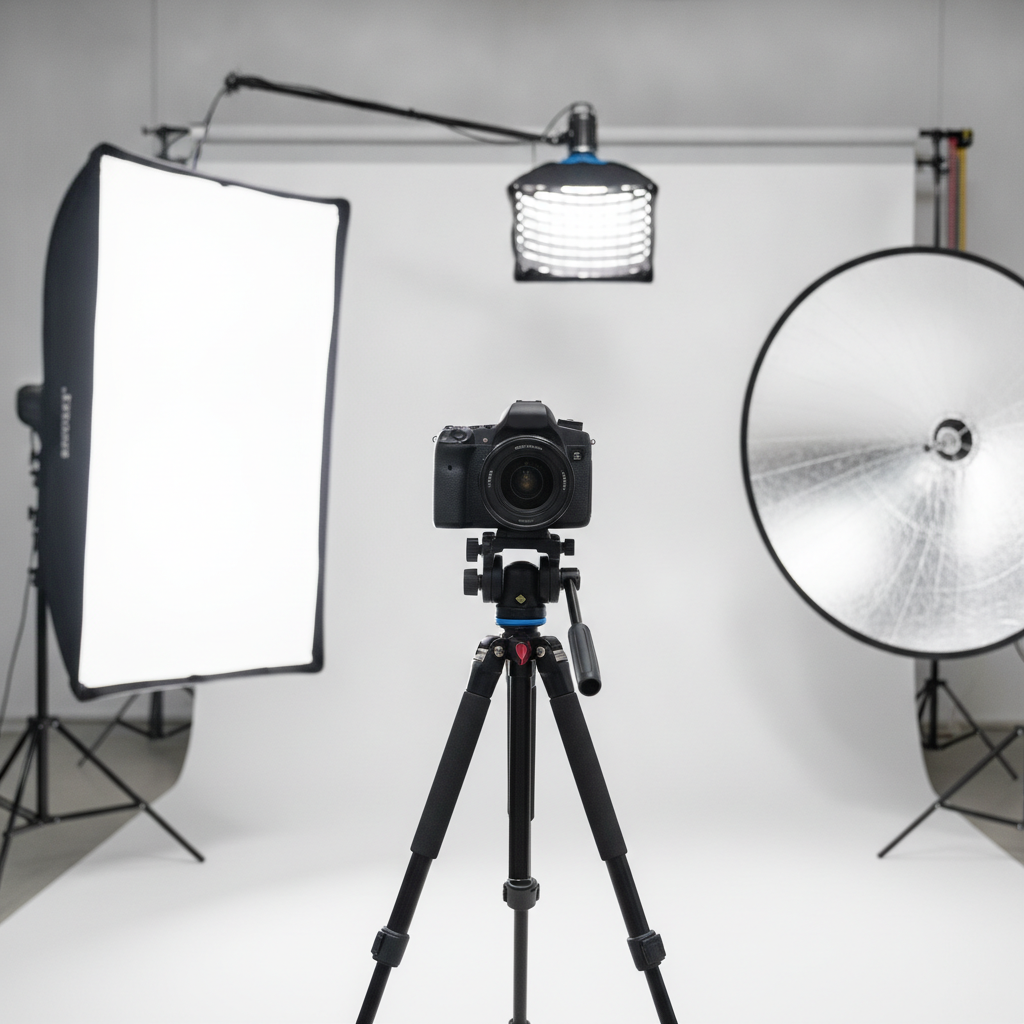
- Lighting: key softbox (24–48 inches), reflector for fill, hair light for separation, and consistent white balance at ~5500K.
- Camera/lens: full-frame with 45MP option; prime 85mm/105mm for flattering compression; shutter around 1/160; ISO 100–400.
- Backdrop: seamless paper 9′ wide, matte finish to minimize glare; brand-aligned color swatches as needed.
- Workflow: tether to laptop for live preview; name files as Firstname_Lastname_001; star rating (1–5) for selects.
- Group alignment: even spacing, 3–5 inches between shoulders; staggered rows; tallest centered or anchored as needed.
- Culture coverage: 10–15 minutes per department; macro details (keyboards, notebooks) and 2–3 wide office scenes.
Post-production & delivery
- Color workflow: Lightroom Classic with calibrated profiles; skin tones targeted around 50–65% luminance.
- Retouching: stray hairs, temporary blemishes, lint removal; keep natural pore detail; avoid over-smoothing.
- Output sizes:
- Web: 1920×1280 (16:9), sRGB, 72 DPI.
- Print: 8×10 inches at 300 DPI, Adobe RGB or CMYK-ready TIFF.
- Social: 1080×1350 (4:5) and 1080×1080 (1:1), 9:16 vertical variants.
- Delivery: organized folders (Headshots, Teams, Culture); CSV index with file names and subject names for HR/Comms.
- Activation: update org page in 24–72 hours, refresh email signatures, swap outdated LinkedIn avatars, and pre-schedule 6–8 posts.
For teams adding motion, our corporate video guide outlines interview setups, b‑roll planning, and 4K delivery at 24/30 fps. Pairing photo and video on the same day reduces production disruption by 30–50 minutes per department.
Types of Corporate Photos and Approaches
Corporate imagery spans studio headshots, environmental portraits, team photos, culture candids, workspace details, and event coverage. Choose one primary style for consistency, then add 1–2 secondary looks for variety. This mix fills websites, press kits, recruiting pages, and social content calendars for 6–12 months.
- Studio-style headshots: clean background (white/gray/brand color), precise lighting ratio (key:fill ~2:1), identical framing.
- Environmental portraits: shallow depth (f/2.8–f/4), contextual blur, window or practical lighting for authenticity.
- Team portraits: departmental groupings; align heights; anchor leaders center-left or center-right; symmetrical spacing.
- Culture candids: 1–2 minute micro-sessions capturing collaboration; ideal for Careers and About pages.
- Workspace details: macro and medium shots of tools, signage, and brand elements; 6–10 assets per floor.
- Event coverage: conferences, off-sites, town halls; useful for PR recaps and leadership comms.
- Exterior/architecture: wide establishing shots of HQ for press, investor decks, or location pages.
For social performance, add 9:16 vertical variants and 4–6 GIF-ready sequences. When needed, we include short-form, on-brand clips aligned with our photography and social media guide to keep your feeds consistent.
Best Practices for Headshots and Team Photos
Use flattering focal lengths (85–105mm), set white balance to ~5500K, and position the key light 30–45° off-axis and slightly above eye level. Provide simple wardrobe rules, schedule 10–15 minute slots, and keep framing consistent to ensure every headshot looks polished and on-brand.
Lighting and camera settings
- Focal length: 85mm or 105mm primes offer flattering compression without distortion.
- Aperture: f/2.8–f/5.6 for separation; stop down to f/8 for multi-row team sharpness.
- Shutter/ISO: ~1/160 sec at ISO 100–400 for crisp results with strobes or constant lights.
- Light placement: key at ~30–45° and slightly above; reflector or V-flat for fill; hair light for subject/background separation.
- Color control: custom white balance at 5500K; gray card check every 60–90 minutes to maintain accuracy.
Posing and expression
- Posture: shoulders relaxed, chin forward and down 1–2 cm to refine jawline; soft contrapposto stance for full-lengths.
- Expression: ask for “confidence with approachability”; capture 3–5 micro-variations per person.
- Hands: avoid fists; use natural hand placement (light clasp, notebook, or laptop) to reduce tension.
Wardrobe and grooming
- Solids over patterns: avoid tight stripes or high-contrast checkers to prevent moiré.
- Color palette: align with brand hex values; complementary accent layer (blazer or knit) adds depth.
- Glasses: tilt frames 2–3° downward to reduce catchlight glare; use non-glare if available.
- Grooming: lint rollers, compact mirror, and 2–3 minutes for final checks keep retouching minimal.
For deeper team photo strategy, our corporate photographer guide breaks down background choices, spacing diagrams, and sample framing for groups of 5, 12, and 20+.
Tools and Resources We Use
We use full-frame cameras with 45MP options, prime 85/105mm lenses, 24–48 inch softboxes, and calibrated monitors. Our workflow runs through Lightroom Classic, Capture One, and Premiere Pro. Delivery includes web, print, and social formats in organized folders with clear naming conventions.
- Cameras & glass: dual-slot full-frame bodies, 85mm and 105mm primes, and 24–70mm for documentary coverage.
- Lighting: softboxes (24–48 inches), strip boxes for edge lights, and constant LEDs with CRI ≥ 95.
- Grip: C-stands with safety sandbags; 9′ seamless paper; collapsible reflectors; V-flats for soft fill.
- Color: X-Rite/Spyder monitor calibration; gray card check-ins every set change.
- Software: Lightroom Classic for cataloging, Capture One for tethering, Photoshop for retouching, Premiere Pro for 4K edits at 24/30 fps.
- Delivery: online gallery with star ratings, CSV index, and folders for Headshots, Teams, Culture, and Social.
Need a refresher on visual strategy? Our commercial photography guide and portrait photography guide show how lighting choices, lens selection, and framing influence brand tone in 3–5 frames.
Planning a Corporate Photoshoot in Maple Ridge, BC
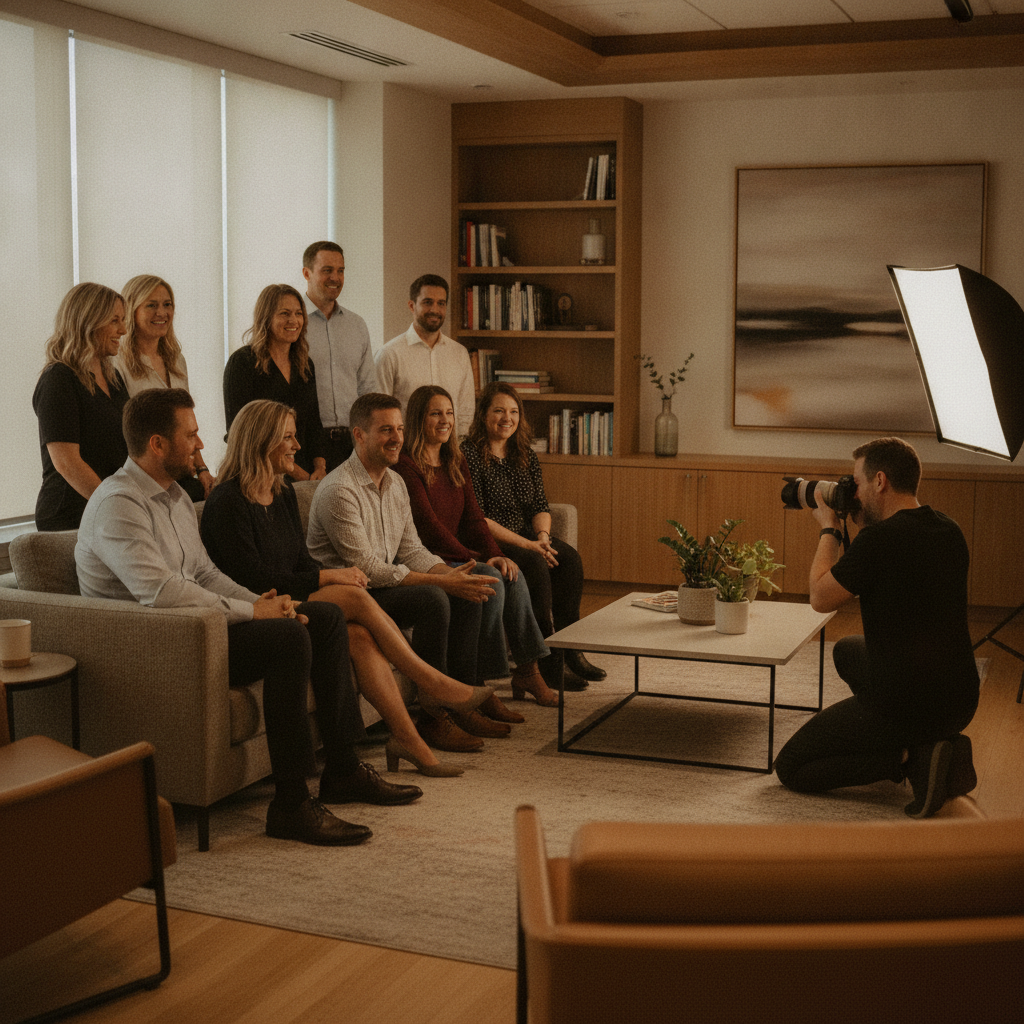
In Maple Ridge, BC, plan your corporate photoshoot with building access times, natural daylight windows (often strongest 10:00–2:00), and team availability. We operate from 13260 236 St, enabling quick on-site setups across the area and BC, with mobile lighting kits that fit elevators and standard office doors.
Local office layouts vary, so we pre-scout or request smartphone photos of 2–3 candidate spaces. A 12×15 ft conference room supports a 9′ backdrop with 3‑light placement; open lounges work well for environmental looks with f/2.8 depth. We carry compact kits to move between floors in 6–10 minutes.
Local considerations for Maple Ridge
- Schedule around peak commute times when possible; morning arrivals between 8:30–9:30 tend to keep teams on schedule for 10–15 minute headshot slots.
- Rain is common across BC; plan a covered indoor option plus an environmental backup to keep consistency in 5–10 minutes.
- For multi-location teams across Greater Vancouver, consolidate leadership portraits first, then roll department-by-department to reduce re-setup time by 20–30 minutes.
Need logistical worksheets? A concise on-site planning checklist can help align meeting rooms, catering windows, and presentation timing; this event planning checklist offers a useful framework you can adapt for photo day operations.
Add-Ons: Video and Social-First Deliverables
Pair your photoshoot with 4K interviews, 9:16 vertical clips, and 15–30 second culture loops. Filming b-roll during headshot transitions increases content yield without extending the day significantly, keeping total setup changes under 10–15 minutes per scene.
- Interview snippets: 4K at 24/30 fps; 2–3 talking points per leader; capture clean room tone for edits.
- Vertical clips: 9:16 format; 6–10 second loops for Reels/Stories; brand-safe music selections.
- Screen-safe b-roll: hands typing, whiteboard sketches, and hallway interactions shot at 1/50–1/60 for natural motion blur.
For content programming ideas, see how we structure campaigns for realtors and SMBs in our social media strategy guide; the same structure adapts well to corporate teams.
Studio vs Environmental vs Lifestyle: Which Fits?
Choose studio-style for uniformity, environmental for context and warmth, and lifestyle for candid authenticity. Many teams blend two styles—studio headshots plus environmental culture frames—to cover HR, web, and social needs without overextending schedules or budgets.
| Approach | Best For | Setup Time | Lighting | Notes |
|---|---|---|---|---|
| Studio-Style | Consistent headshots, directories | 15–25 minutes | Key + fill + hair | Uniform crops; fastest for 20–40 people/day |
| Environmental | Executive features, About page | 10–20 minutes | Window + LED | Context adds warmth; watch background distractions |
| Lifestyle/Documentary | Culture stories, recruiting | 5–10 minutes/scene | Available + bounce | Great for 9:16 clips and carousel posts |
Still unsure? Our branding photos guide explains how to match visual tone to brand values in 3 quick questions you can reuse for corporate teams.
Case Studies and Examples
We approach each corporate photoshoot with a brand-first mindset. Below are anonymized scenarios showing how lighting, scheduling, and deliverables adapt to different goals while keeping 10–15 minute slots, consistent crops, and 24–72 hour activation timelines.
Maple Ridge SaaS team: org page overhaul
A 40-person software team needed consistent headshots and two hero banners. We ran 12 headshots per 2-hour block, used a 9′ gray seamless with a 2:1 key-to-fill ratio, and captured two environmental portraits per executive. Web (1920×1280) and LinkedIn (1080×1350) files were delivered with a CSV index.
Regional logistics firm: recruiting push
We focused on culture storytelling: 3 group portraits (ops, support, leadership), 12 candids across the warehouse and office, and 8 detail frames. Shutter at 1/160 with constant LED fill kept skin tones clean while balancing practical lights at ~3200–4000K.
Professional services group: press kit refresh
Leadership headshots needed a timeless look. We used 105mm primes at f/4, a neutral background, and subtle retouching to remove lint and stray hairs only. We also added 3 vertical 9:16 clips per leader for internal town hall slides and quick social posts.
To see how we structure office projects, review a recent office example on our site: corporate office shoot.
Ready to plan your session?
If you need consistent headshots, team portraits, and social-ready visuals, we can help. Silver Valley Studios brings mobile lighting, fast scheduling, and clean retouching to keep your teams moving while delivering on-brand results in web, print, and vertical formats.
Let’s align on goals: Share your headcount, preferred style (studio, environmental, or lifestyle), and any brand color guidance. We’ll recommend a schedule, shot list, and a file-naming convention so Comms and HR can update assets in 24–72 hours.
Frequently Asked Questions
Great corporate photos start with clear goals, efficient scheduling, and consistent lighting. These FAQs address timing, makeup, selections, and post-production so your team knows exactly what to expect before photo day.
How long should we plan for headshots on photo day?
Plan 10–15 minutes per person for studio-style headshots, with 6–8 people per hour including a buffer. Add 15–25 minutes for each team portrait. We’ll build a schedule that minimizes downtime while keeping lighting and crops consistent.
What should we wear for a unified look?
Choose solid colors that align with your brand palette, avoid tight patterns, and bring 2–3 options. Keep accessories minimal, and if you wear glasses, tilt frames slightly downward to reduce glare. We’ll confirm background color so you can pick complementary tones.
Can we combine photo and video the same day?
Yes. We frequently record short 4K interviews and 9:16 vertical clips between headshot blocks. This increases content yield without significantly extending the day. See our corporate video guide for format and workflow ideas.
How do we prepare our office for a seamless setup?
Reserve a 12×15 ft room for a 9′ backdrop and 3‑light placement. Clear reflective surfaces near the set, have lint rollers on hand, and provide a mirror for quick checks. Send 2–3 smartphone photos of potential spaces so we can pre-plan power, windows, and traffic flow.
Conclusion and Next Steps
Corporate photos work when they’re planned with purpose and built for reuse. Align goals, control lighting, keep schedules tight, and deliver in web, print, and vertical formats. We help Maple Ridge and BC teams roll out consistent visuals that support recruiting, sales, and brand storytelling.
- Define outcomes and create a 12–25 item shot list.
- Schedule 10–15 minute headshot slots and 15–25 minute team portraits.
- Pick one primary style and one secondary look for range.
- Deliver files in web, print, and 9:16 social crops.
Next step: Share your headcount, preferred styles, and timeline. We’ll propose a shot plan that minimizes disruption while maximizing content yield. For larger activations, we can align photo and video in a single 6–8 hour day.
Helpful Planning Resources
Operational details like room bookings, agendas, and refreshments influence photo day success. These planning links are useful when coordinating with facilities and HR. Adapt the checklists to your team’s size, headcount, and culture alignment goals.
For agenda coordination, this concise corporate event planning checklist offers helpful reminders. If you’re arranging refreshments, this corporate catering guide outlines service windows and setup tips. For training days coupled with photo ops, see this piece on corporate trainer roles to structure sessions logically.
For broader visual strategy across sectors, explore our internal resources:
commercial photography insights,
branding photo ideas, and
social content planning.