


Corporate video is the strategic use of filmed content to communicate a company’s message to customers, employees, and stakeholders. It spans brand films, product explainers, testimonials, and event highlights. From our Maple Ridge studio at 13260 236 St, BC, we produce corporate video that is purposeful, measurable, and built for today’s mobile feeds.
By Sumeet S. • Last updated: 2026-06-12
Overview and table of contents
This complete guide explains what corporate video is, why it matters in 2026, how production works, the most effective formats, best practices, tools, distribution, and KPIs. It’s built for Maple Ridge and Greater Vancouver brands that need clear results from every frame.
Use this guide to plan or refresh your video strategy, align teams, and brief your production partner with confidence.
- What is corporate video?
- Why corporate video matters
- How production works
- Types of corporate video
- Best practices
- Tools and resources
- Case studies and examples
- Corporate video in Maple Ridge, BC
- Distribution and KPIs
- Formats vs. goals comparison
- FAQ
- Conclusion + key takeaways
Quick summary
Corporate video turns business goals into watchable stories that drive awareness, trust, and action. Success in 2026 hinges on short, vertical cuts for social, strong audio and captions, and a distribution plan that tracks view-through, engagement, and assisted conversions.
- Audience-first: Script for one clear viewer outcome per video.
- Social-native: Edit vertical (9:16) teasers, 15–30 seconds.
- Durations: Explainers 60–120s; testimonials 45–90s; event recaps 30–60s.
- Accessibility: Add burned-in captions; keep lower thirds 2–3 seconds.
- KPIs: View-through rate, save/share ratio, reply/DM rate, and landing-page actions.
What is corporate video?
Corporate video is planned, on-brand filmed content a company uses to inform, persuade, or train. It includes brand films, product demos, testimonials, recruitment, and event coverage—each mapped to a single message, target audience, and measurable call to action.
At Silver Valley Studios Inc., we design corporate work to be modular: one master edit plus short social cuts, vertical stories, and stills. That keeps your content consistent across platforms while matching each channel’s format.
- Core formats: brand overview, executive message, product demo, testimonial, event recap, internal training.
- Aspect ratios: 16:9 (YouTube/web), 1:1 (feeds), 9:16 (Stories/Reels/Shorts).
- Delivery set: Master 16:9 (60–120s), 2–4x vertical shorts (15–30s), thumbnail set, caption files.
- Style: Clean, naturally lit visuals with cinematic 4K and smooth motion for polish.
Need a property-focused example? See our real estate videography guide for how we map story beats to buyer questions.
Why corporate video matters
Video builds trust faster than text or stills by combining sight, sound, and motion. In 2026, short mobile-first cuts and authoritative long-form explainers work together to drive brand recall, search visibility, and qualified inquiries.
Here’s why corporate video is worth your team’s focus this year—and how to make results predictable.
- Attention window: Hook viewers within 3 seconds with motion, a clear value line, or a surprising visual.
- Search impact: Pages with relevant video often rank for more queries and increase dwell time. Insights from TechWyse on video & SEO align with what we see on client pages.
- Trust signals: On-camera leadership and customer proof (face + voice) accelerate credibility for first-time visitors.
- Sales enablement: 60–90s explainers reduce repetitive demos and help sales reply faster with pre-approved clips.
- Employer brand: Recruiting clips increase applies by giving candidates a feel for team culture and the work environment.
We’ve found short vertical teasers lift saves and shares, while the master 16:9 edit carries the heavier story. Together, they support both discovery and conversion.
How corporate video production works
A strong corporate video follows a simple path: strategy, pre-production, production, post, and distribution. Each phase has clear deliverables—brief, script, schedule, shoots, edits, captioning, and final files—so your team always knows what’s next.
Below is a practical, step-by-step workflow we use across Maple Ridge, Greater Vancouver, and Vancouver Island.
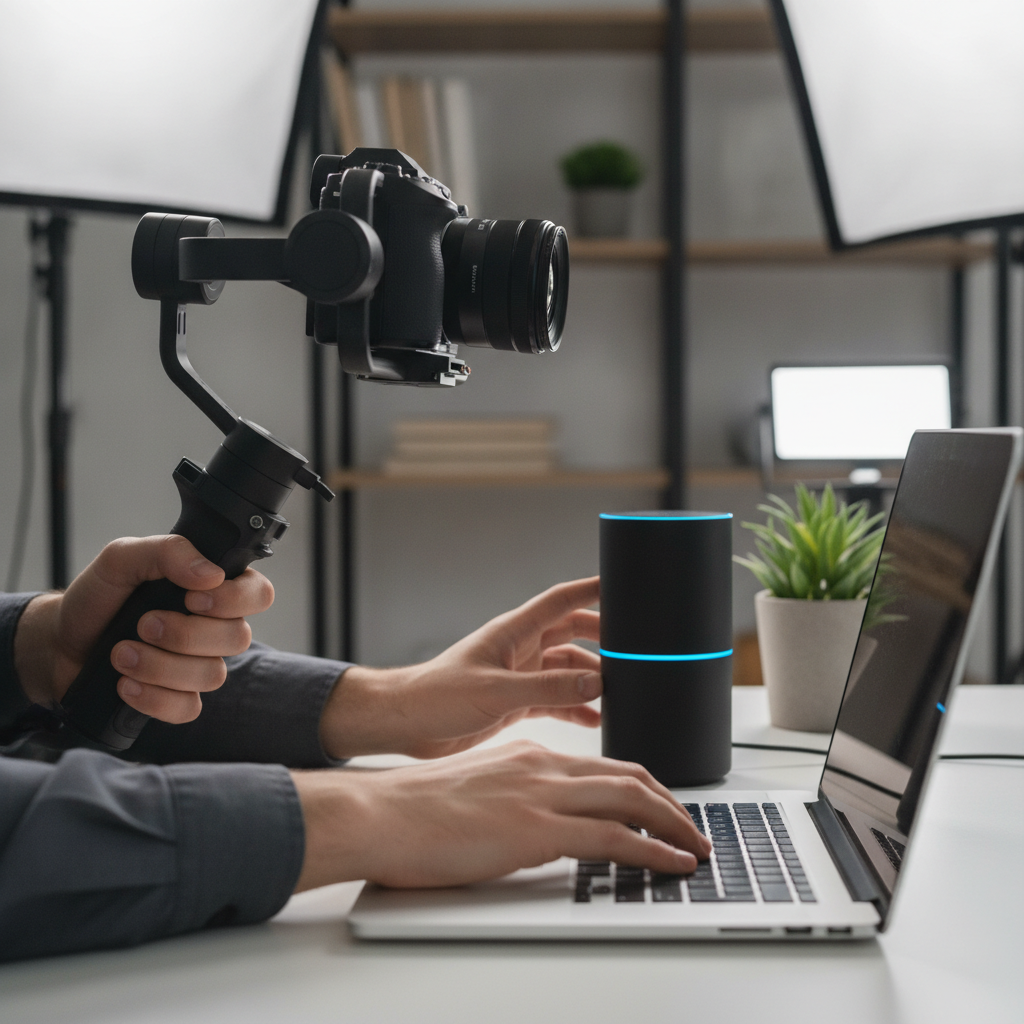
Step-by-step workflow
- Strategy workshop (60–90 minutes): Define audience, a single success metric, and the one message we must land.
- Creative brief + script: 1–2 pages; includes structure, tone, and an outline with hooks and CTAs.
- Logistics: Shot list (12–25 shots), locations, talent, wardrobe, and a 2–6 hour schedule.
- Production: Two-camera interviews, B-roll, clean audio, and intentional lighting to match brand mood.
- Post-production: Rough cut (feedback), fine cut (graphics, color), mix/master, and platform-native exports.
- Distribution kit: 16:9 master, 1:1 feed cut, 9:16 Reels/Shorts, thumbnails, captions, and a copy block.
Process table
| Phase | Main Deliverable | Typical Window | Owner |
|---|---|---|---|
| Strategy | Creative brief + KPI | 1–2 days | Client + Producer |
| Pre-Production | Script + Shot list | 2–5 days | Producer |
| Production | Interview + B-roll | Half to full day | Director + Crew |
| Post | Rough/Fine cut | 3–7 days | Editor |
| Distribution | Platform kit + Captions | 1–2 days | Marketing |
For a property-focused variant of this workflow, our real estate videography services page outlines how we tailor interviews and B-roll to buyer intent.
Types of corporate video (with 12 examples)
The most effective corporate videos match one clear goal: awareness, trust, or action. Use a master brand film for depth, paired with short vertical teasers for reach. Below are 12 high-performing formats and when to use them.
- Brand film (60–120s): Mission, value prop, and proof in one arc.
- Product demo (45–90s): Show before/after and the moment of value.
- Customer testimonial (45–90s): Face, voice, and a specific outcome.
- Recruiting video (45–75s): Team culture, growth, and day-in-the-life.
- Event recap (30–60s): Highlights within 24–72 hours to ride momentum.
- Founder message (30–60s): Authentic update to build trust at key moments.
- How‑to/FAQ (60–180s): Answer top support questions with clear steps.
- Facility tour (60–120s): Clean visuals, motion, and light to reduce buyer risk.
- Case study mini (60–120s): Problem → solution → measurable result.
- Social reels (15–30s): 9:16 hooks, captions on screen, high contrast.
- Webinar trailers (20–40s): 3 reasons to attend, date/time stamp visual.
- UGC-style clips (10–20s): Lo-fi shots with pro audio for authenticity.
Want to see how this looks in property marketing? Check our commercial property videos overview for B2B use cases.
Best practices that move the needle
Win the first three seconds, script one idea per edit, and deliver a vertical cut for social. Use natural light plus key fill, clean audio, and strong captions. Always end with a measurable, low-friction call to action.
Creative and scripting
- One message rule: Each video should land a single idea and next step.
- Hook options: Contrarian claim, fast visual change, or a direct benefit line.
- On-screen text: Keep lines under 8 words; display 2–3 seconds per line.
- Interview prompts: Ask for specifics—numbers, timelines, and outcomes viewers can picture.
Production and lighting
- Lighting: Soft key at 45°, gentle fill, practical background lights for depth.
- Frame rates: 23.98p for interviews; 60p for slow-motion B-roll.
- Sound: Lav + shotgun backup; monitor peaks around −6 dB.
- Composition: Eye level, clean background, and intentional negative space for graphics.
Editing and accessibility
- Pacing: Cut every 2–4 seconds in teasers; longer in explainers when visuals hold.
- Captions: Burned-in for social; supply .srt for YouTube and websites.
- Brand alignment: Use colors sparingly; let footage carry the story.
- Thumbnails: High-contrast faces or action; 1280×720 minimum.
For aerial perspectives that add scale and context, our aerial videography guide shows when drone adds real value—not just pretty views.
Tools and resources we rely on
Great tools don’t replace taste and planning, but they do improve consistency. We combine dual mics, soft LED kits, gimbals, and color-managed editing to keep footage clean, steady, and on-brand—delivering 4K masters and social-native vertical cuts every time.
- Cameras: 4K bodies with reliable color profiles for quick matching.
- Stabilization: Gimbals for motion; tripods for interviews; sliders for parallax.
- Audio: Dual-channel lav + shotgun; foam treatment in live rooms when needed.
- Lighting: Bi-color LEDs with softboxes; negative fill to shape contrast.
- Post: Color-managed workflow; safe broadcast levels; clean, branded graphics.
If your brand also needs strong stills, our commercial photography guide outlines how we align photo and video for cohesive campaigns.
Case studies and examples (mini snapshots)
We build corporate videos to answer a business problem, not just to look good. Each example below connects a simple brief to a measurable outcome using modular edits for web and social.
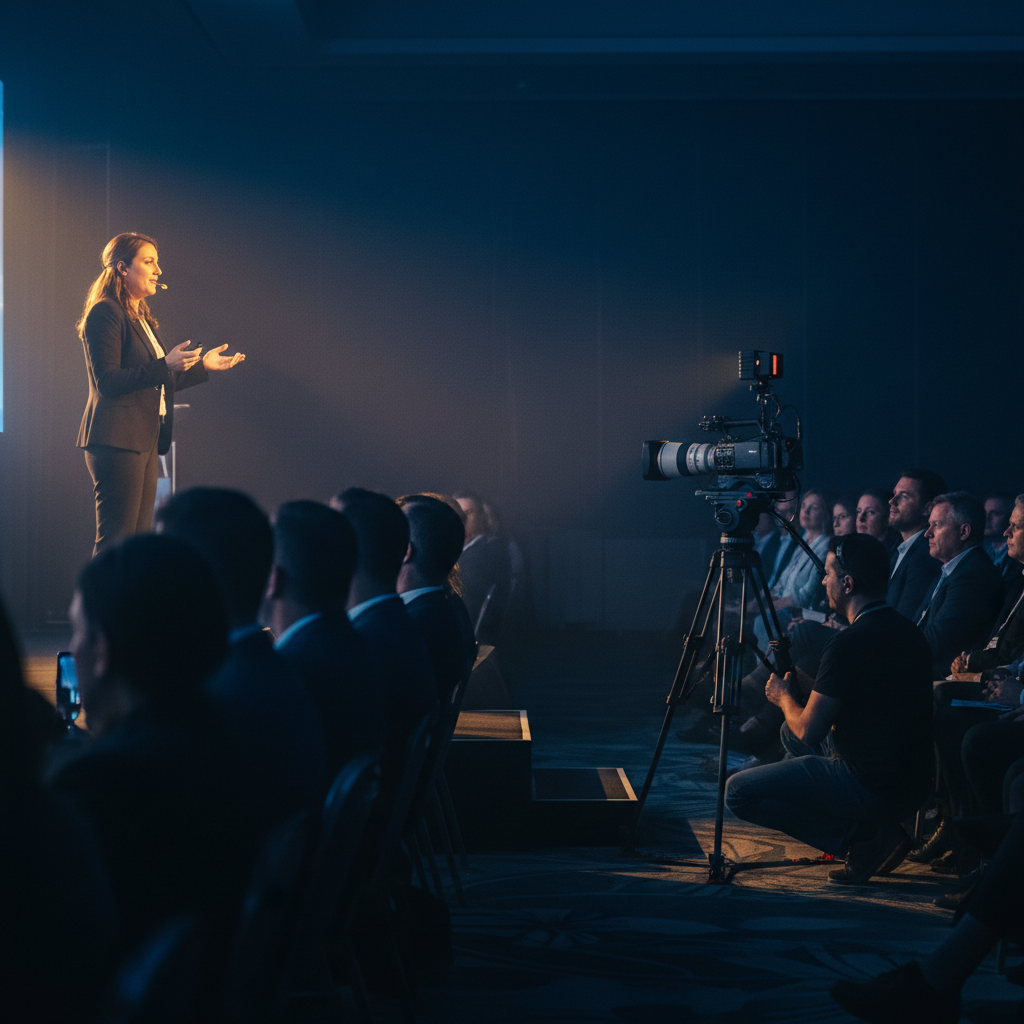
- Event highlight (B2B tech): 60s recap within 48 hours lifted social saves. Vertical reels (15–20s) drove DMs for demos.
- Recruiting mini: 45s day-in-the-life reduced initial screening time by replacing long text job posts.
- Founder update: 30s direct-to-camera clarified a new service tier and sent traffic to a simple landing page.
- Customer proof: 75s testimonial with one measurable result (“time from inquiry to install cut in half”).
- Property story: 90s brand-forward listing film + drone context. See approaches in our real estate videography guide.
When projects involve commercial spaces, our commercial property videos page shows how we adapt messaging for investors and B2B buyers.
Corporate video in Maple Ridge, BC: local factors
For Maple Ridge and the broader BC market, corporate video performs best when it reflects local settings, rapid weather shifts, and regional audience habits. Pair indoor interview setups with plan‑B exteriors and prioritize fast delivery while momentum is high.
Producing across Greater Vancouver and Vancouver Island means planning for weather, traffic, and venue access while keeping brand polish. We build flexible shot lists, keep gear nimble, and edit short vertical cuts for social within 24–72 hours of events.
Local considerations for Maple Ridge
- Plan indoor-primary lighting in case clouds roll in; keep exteriors as B-roll, not anchors.
- Seasonal timing matters. Spring launches pair well with outdoor motion; winter favors indoor culture stories.
- For corporate events, stagger interviews near breaks. Quiet side rooms beat busy foyers for clean audio.
If you’re coordinating video plus stills for an announcement, align with our social content photography approach to keep feeds consistent.
Distribution and KPIs
Plan distribution before you shoot. Pair a search-optimized landing page with YouTube, LinkedIn, and short vertical reels. Track view-through rate, save/share ratio, replies/DMs, and landing-page actions to prove impact.
- Channel kit: YouTube (16:9 master + chapters), LinkedIn (native upload + copy block), Instagram/TikTok (9:16 reels, 15–30s).
- SEO play: Embed the master on a relevant page with schema and transcript. Tips in this TechWyse guide mirror what we implement on client sites.
- Engagement markers: 3-second views, 25/50/75% view-through, saves, shares, comments, DMs.
- Conversion markers: Click-through, form starts, and calendar bookings from the landing page.
- Repurposing: Pull 3–5 short verticals and 6–10 stills to extend a campaign across 4–6 weeks.
When your video supports a listing or facility showcase, tie it to floorplans and galleries for context. That’s the thinking behind our integrated video services across property marketing.
Formats vs. goals: quick comparison
Match format to goal. Brand films build awareness, testimonials build trust, and short verticals spark discovery. Use the table below to pair your objective with the right edit, runtime, and CTA.
| Goal | Best Format | Runtime | Primary CTA |
|---|---|---|---|
| Awareness | Brand film + reels | 60–120s / 15–30s | Visit overview page |
| Trust | Testimonial + demo | 45–90s | See proof page |
| Engagement | How‑to/FAQ shorts | 20–40s | Save/share |
| Lead | Founder message | 30–60s | Book a call |
| Recruiting | Day‑in‑the‑life | 45–75s | Apply now |
Unsure which mix fits your campaign? Our commercial photography strategy article shows how we blend stills and motion to support each stage of a funnel.
Frequently asked questions
These quick answers help teams plan faster. Each response is based on what we deliver for Maple Ridge and Greater Vancouver brands.
What makes a corporate video effective?
A clear hook in the first three seconds, one message per edit, clean audio, and strong captions. Pair a 60–120s master with 15–30s vertical cuts. Always end with one measurable CTA that lines up with your goal.
Should we film horizontal or vertical?
Both. Horizontal (16:9) suits websites and YouTube; vertical (9:16) wins in mobile feeds. Plan your framing to protect both crops—center action and leave room for captions and lower thirds.
How fast should we release event recaps?
Within 24–72 hours while attention and social sharing are highest. Post a 30–60s highlight first, then follow with photos and 2–3 short reels to extend momentum over the next week.
Do captions really matter?
Yes. Many viewers watch with sound off, and captions improve comprehension for everyone. Use burned-in captions for social and upload an .srt file to platforms like YouTube for better indexing.
Conclusion and next steps
Corporate video works when it’s audience-first, social-native, and measured. Build one strong master, spin out short verticals, and connect everything to a landing page with a clear call to action and captions.
- Key takeaways: Hook fast, script one idea, cut vertical, caption always, track meaningful KPIs.
- Action steps: Define a single KPI, outline a 60–120s master, list 3 short reels, and plan your landing page.
Want help turning your brief into a high-performing corporate video? We produce clean, cinematic edits plus social-native reels for brands across Greater Vancouver and Vancouver Island. Explore our approach in the video services overview or message us to schedule a quick discovery call.
Ready to align video with your brand goals? Pair motion with strong stills using our social content photography playbook and keep your campaign consistent across channels. For format choices, see this short vs. long-form explainer from TechWyse—then adapt the guidance to your audience.