


Cinematic video is a storytelling approach to motion content that uses deliberate camera movement, lighting, sound, and editing to make viewers feel present in a space. For Maple Ridge clients near 13260 236 St, BC, Silver Valley Studios uses cinematic techniques to film homes, restaurants, and brands so listings stand out and social content performs.
By Sumeet S. — Founder & CEO, Silver Valley Studios Inc.
Last updated: 2026-06-13
Quick Summary and Table of Contents
This complete guide explains what cinematic video is, why it matters for real estate and local brands, and how to plan, shoot, and edit it. You’ll learn camera moves, lighting, sound design, and drone tips, plus best practices, tools, and Maple Ridge–specific considerations for listings and social content.
Use this section to jump ahead or skim the main points. We keep it practical with steps, checklists, and examples drawn from active productions across Greater Vancouver.
- Definition: What cinematic video means for properties and brands
- Why it matters: Engagement, memorability, and buyer trust
- How it works: Preproduction → Production → Post
- Approaches: Gimbal tours, drone reveals, vertical reels
- Best practices: Light, compose, record, and color-grade
- Tools: Cameras, lenses, audio, gimbals, and software
- Comparison: Cinematic vs. standard walkthroughs
- Case studies: Maple Ridge, Vancouver, Surrey examples
- FAQ: Practical answers you can use today
What Is Cinematic Video?
Cinematic video is a crafted, film-like style that blends composition, movement, lighting, and sound to immerse the viewer. It emphasizes story over simple documentation. In real estate, it turns static rooms into lived-in scenes, guiding buyers through space with intentional pacing and emotion.
The core idea: we’re not just showing a place; we’re communicating how it feels to live or work there. That’s why movement, music, and sound design matter as much as resolution.
Key traits you can recognize
- Deliberate motion: Smooth gimbal walking shots and slider moves.
- Cinematic frame rates: 24 fps for natural motion; 60 fps for tasteful slow motion.
- Shutter discipline: 180-degree rule (for 24 fps, ~1/48 sec) for motion blur that feels right.
- Controlled depth: Prime or fast zoom lenses for subject-background separation.
- Dynamic light: Windows balanced to interior exposure; practical lights add warmth.
- Sound-led storytelling: Room tone, footsteps, and subtle music cues carry emotion.
In our experience on residential listings and commercial spaces, these choices consistently increase watch time and save/share behavior on social posts. The result: more qualified inquiries.
Why Cinematic Video Matters (Maple Ridge and BC)
Cinematic video matters because it increases attention, clarity, and trust. In Maple Ridge and across BC, buyers preview homes online first. Filmic tours show flow, scale, and lifestyle in seconds, accelerating decisions and improving lead quality for realtors and local businesses.
Most buyers will watch a video before booking a showing. When that video answers core questions—How big is the kitchen? How does the light move through the living room at 5 p.m.?—you get faster, better-qualified inquiries.
Proof points you can act on
- Attention: Smooth reveals and leading lines keep eyes on screen longer than static pans.
- Clarity: A single 45–90 second tour can replace dozens of disjointed phone photos.
- Trust: Natural sound and steady moves feel honest—no trick angles, no confusion.
- Social reach: Vertical cuts (1080×1920) extend mileage on Instagram and TikTok.
- Search visibility: Titles, descriptions, and chapters help videos surface in search. For tactics, see these video SEO tips.
Local considerations for Maple Ridge
- Plan golden-hour exteriors to highlight mountain light and tree-lined streets; schedule interiors earlier to keep windows within dynamic range.
- In rainy stretches, bring polarizers and microfiber kits; water on glass can cause hazy highlights and autofocus hunting.
- When filming multifamily buildings, check strata rules for drone launch points and quiet hours to respect neighbors.
For realtors in Greater Vancouver, our real estate videography services pair cinematic tours with listing photos and 2D floorplans to cover every buyer touchpoint.
How Cinematic Video Works
Cinematic video follows a three-part workflow: preproduction (story, schedule, shot list), production (lighting, camera movement, sound), and post (edit, color, mix, delivery). Clear planning keeps shoot time tight and ensures final cuts serve the listing or brand goal.
Here’s the process we run for listings and commercial shoots across the Lower Mainland.
Preproduction: design the experience
- Brief: Define buyer persona, key spaces, and must-show amenities in 5–7 bullets.
- Shot list: Entrance reveal, hero kitchen, primary suite, outdoor living, and neighborhood context.
- Look plan: Natural window light with soft fill; white balance 5200–5600K for daylight interiors.
- Timing: Interiors mid-morning; exteriors golden hour (roughly first/last hour of sun).
Production: capture with intention
- Camera settings: 24 fps, shutter ~1/48, log profile for dynamic range; ISO as low as practical.
- Movement: Gimbal walk-ins, parallax slides, top-down transitions from stair landings.
- Audio: Record room tone for continuity; capture exterior ambience for openings.
- Continuity: Open all blinds, turn on practicals, hide cords; keep props consistent room to room.
Post: shape the story
- Edit structure: 3–5 second scene beats; A-roll for flow, B-roll for detail, cut to music cues.
- Color: Normalize to Rec.709, then add subtle contrast; protect skin tones and whites.
- Sound: -12 dB average dialog/music target; -6 dB peaks; match room tones at transitions.
- Delivery: 4K master (3840×2160), 1080p web version, and 9:16 social cut at 1080×1920.
When schedules are tight, we parallel-path color and sound while the first cut is reviewed. That keeps turnaround predictable without compromising quality.
Types, Methods, and Approaches
Effective cinematic video combines multiple approaches: stabilized walkthroughs, drone reveals, detail macro shots, and lifestyle moments. For social reach, reformat into vertical reels while preserving story beats. The mix you choose should match buyer intent and platform behavior.
Approaches we deploy
- Gimbal walkthroughs: Smooth, eye-level moves show layout better than static pans.
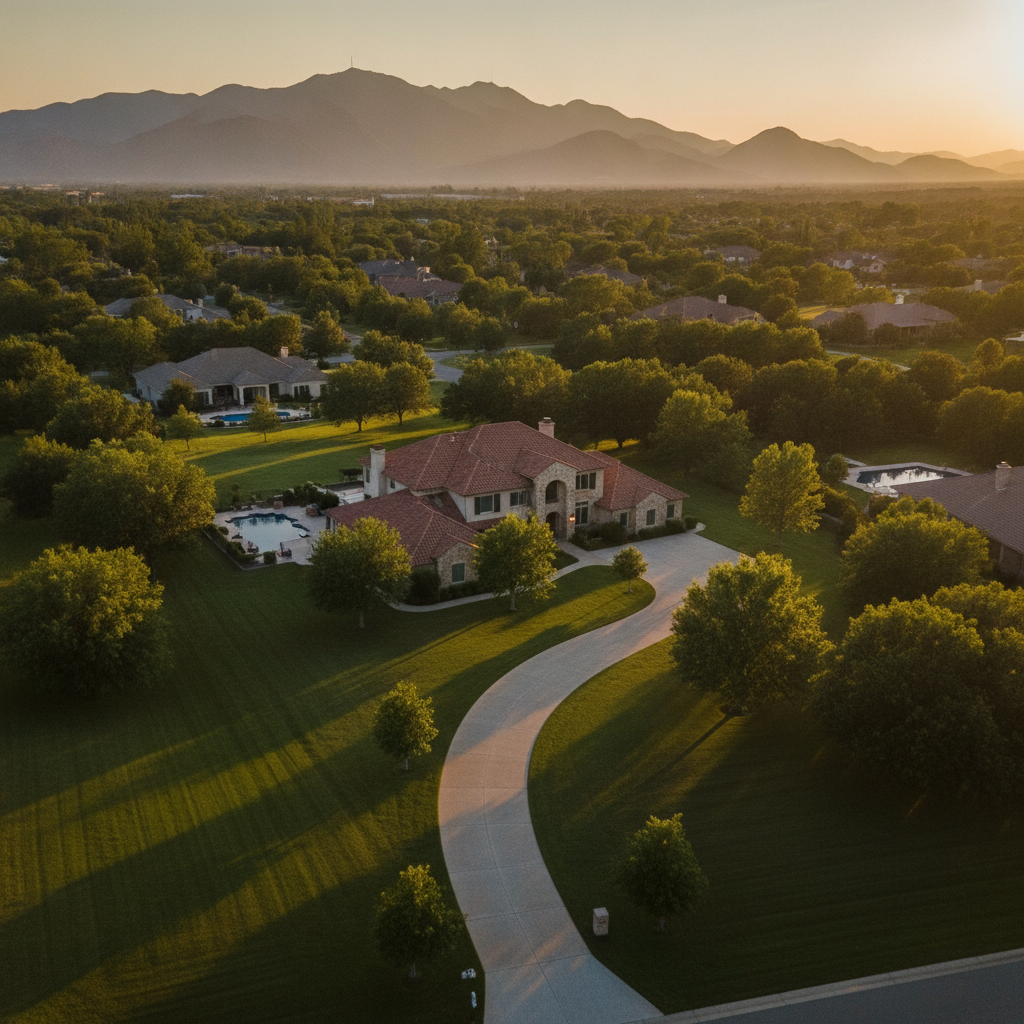
- Drone sequences: Establish location, lot size, and proximity to amenities in 5–12 seconds.
- Detail macro: Faucets, textures, and finishes; shoot at f/2.8–f/4 for depth without hunting.
- Lifestyle inserts: Coffee poured, doors opened, firepit lit—10–15 frames can carry mood.
- Time transitions: Quick daylight-to-dusk cuts for homes with strong exterior lighting.
- Vertical recuts: Reframe to 9:16 for reels; keep text-safe areas clear for captions.
If you want deeper tactics for aerial planning, our aerial videographer guide walks through altitudes, orbits, and reveal patterns that suit residential neighborhoods.
Best Practices That Raise Watch Time
The best practices are simple: plan the path, light for consistency, move with purpose, and edit to music cues. Keep windows controlled, avoid whip pans, and let shots breathe. Finish with clean color and a sound bed that matches the home’s mood.
Shooting and lighting
- Balance windows: Use ND/variable ND to keep shutter under control without overexposing frames.
- Practical lights on: Lamps and pendants add depth; set white balance so bulbs look natural.
- Anchor moves: Start and end on strong compositions so editors have clean cut points.
- Mind height: Eye-level camera (~5 feet) feels natural for most interiors.
Editing and sound
- Beat mapping: Mark hits on a 4/4 or 3/4 timeline; cut changes at musical accents.
- Room tone glue: One minute of tone per room saves transitions later.
- Subtle whooshes: Use only when motion justifies it; signal movement, don’t distract.
- Captions for reels: Most mobile viewers watch muted; add clean, on-brand captions.
We apply these across our real estate photography services and videography guide so media from photos to video feels cohesive.
Tools and Resources We Trust
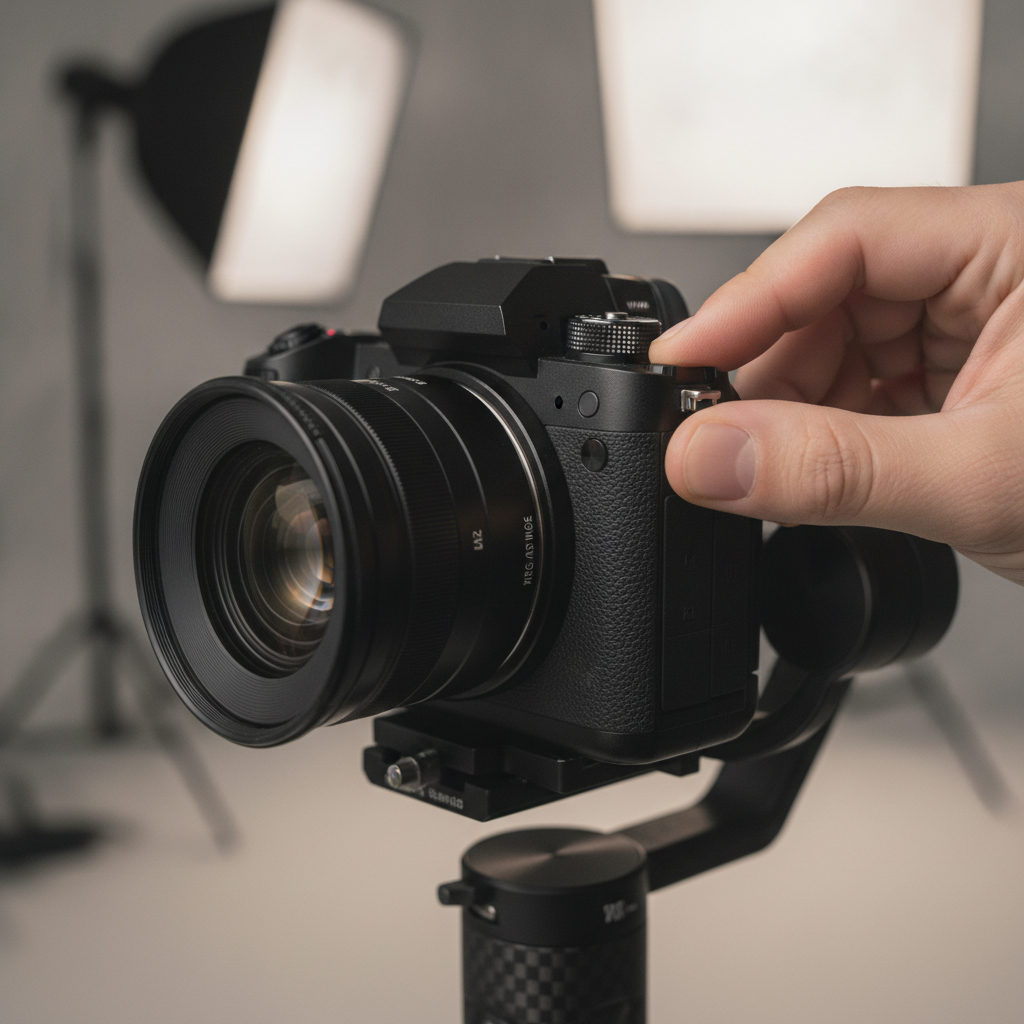
Great gear supports the story without getting in the way. A modern mirrorless body, two fast zooms, a gimbal, ND filters, on-camera and wireless audio, and reliable editing software will cover 90% of real estate and brand shoots.
On set
- Camera bodies: Full-frame mirrorless with 10-bit log recording for clean color work.
- Lenses: 16–35mm for interiors, 24–70mm for details and people, 70–200mm for compression.
- Stabilization: 3-axis gimbal; small slider for controlled parallax on kitchen islands.
- Filters: Variable ND (2–5 stops, 6–9 stops) for bright windows and outdoor moves.
- Audio: Shotgun mic for ambience; wireless lav kit for voice intros and agent cameos.
- Drone: GPS-stable quadcopter with 1-inch sensor for low-noise twilight footage.
In post
- Editing: Professional NLE with multicam, speed ramping, and caption tools.
- Color: Node-based grading for precision; monitor calibrated to Rec.709 (D65).
- Audio: Loudness standards: -12 to -6 dB peaks; gentle compression for consistency.
- Delivery: LUT-managed exports for web, MLS, and social; 4K master plus 1080p.
Want help selecting a package? Our videography services detail how we pair 4K tours, photos, and 2D floorplans for turn-key campaigns.
Cinematic vs. Standard Video (Quick Comparison)
Cinematic video is paced, stabilized, and sound-designed to sell a feeling. Standard walkthroughs document space but lack mood. For competitive listings, go cinematic; for basic documentation, a simple walkthrough is fine. Many clients use both for different platforms.
| Aspect | Cinematic Video | Standard Walkthrough |
|---|---|---|
| Frame rate | 24 fps (film look), occasional 60 fps for slow-mo | 30 fps or 60 fps throughout |
| Camera movement | Gimbal/slider, planned reveals | Handheld or tripod pans |
| Lighting | Balanced windows, practicals on | Ambient-only, mixed color temps |
| Sound | Room tone and designed ambience | On-camera mic or silent |
| Editing | Story arcs, beat-synced cuts | Linear, minimal cuts |
| Primary use | Marketing impact, social traction | Basic documentation, MLS |
We often deliver both: a cinematic hero cut for social + an efficient, agent-narrated walkthrough for FAQs and MLS compliance.
Case Studies and Examples
Real projects show the impact. We tailor cinematic video to listing price points and brand goals, combining 4K tours, photos, drone, and floorplans so viewers get answers fast. Here are condensed scenarios from recent productions.
Maple Ridge family home (detached)
- Objective: Convey yard size and indoor-outdoor flow.
- Moves: Drone orbit at golden hour; gimbal reveal from foyer to kitchen to patio.
- Result: Strong weekend traffic and faster inquiries.
Vancouver view condo (urban)
- Objective: Highlight skyline views and compact layout clarity.
- Moves: Slider pushes on windows; macro on finishes; night exterior cut-in.
- Result: Increased saves and shares on social within the first 48 hours.
Surrey new build (developer)
- Objective: Show craftsmanship and community context.
- Moves: Day-to-dusk transition sequence; neighborhood aerials within 400 feet AGL.
- Result: Clear differentiation against competing releases.
Restaurant brand spot (hospitality)
- Objective: Drive off-peak bookings and showcase vibe.
- Moves: Hand model lifestyle inserts, macro plating shots, ambient sound bed.
- Result: More reservations and higher social engagement.
Want to see styles side by side? Browse our photography portfolio and the commercial video page for inspiration.
Soft CTA: Get a hands-on walkthrough
If you’re ready to plan your next listing film, our real estate videography services outline deliverables and timelines. We also offer realtor branding photos so your profile, thumbnails, and videos feel cohesive.
SEO and Distribution Essentials
Pair cinematic craft with smart distribution: optimize titles, descriptions, and chapters; post native verticals to reels; and embed videos on listing pages. Small changes compound reach without extra filming.
- Video SEO: Use clear titles, key features up front, and time-stamped chapters. See these search tactics for video.
- Short vs. long form: Reels (7–15 seconds) hook viewers; 45–90 seconds convert. Guidance on short vs. long-form video can help shape your mix.
- Why pro help: According to TechWyse, professional videography strengthens brand credibility and campaign ROI by improving production quality and planning.
For full-funnel coverage, pair your hero film with listing photos and 2D floorplans. Our photography guide details how we keep imagery consistent from thumbnails to print brochures.
Frequently Asked Questions
Find fast answers to the most common cinematic video questions—formats, length, social strategies, and how we handle scheduling across Maple Ridge and Greater Vancouver.
How long should a cinematic real estate video be?
Aim for 45–90 seconds for listings. That window supports 3–5 second scene beats, a quick exterior open, and a cohesive interior path. For social, create 7–15 second vertical teasers that point viewers to the full tour.
Do we need drone footage for every property?
Not every listing requires aerials. Use drone sequences when lot size, views, or neighborhood context are major selling points. When included, keep shots concise (5–12 seconds) and launch from permitted locations with respect for nearby residents.
What frame rate and shutter speed feel most “cinematic”?
Shoot at 24 fps and use the 180-degree shutter rule (about 1/48 second) for natural motion blur. Reserve 60 fps for slow motion inserts. Balance windows with ND so you can maintain shutter and aperture choices indoors and out.
How do you keep windows from blowing out in bright homes?
Use variable ND filters, expose for highlights, and add soft fill where needed. In post, color grade with attention to whites and skin tones. Scheduling interiors for mid-morning often keeps ratios manageable without heavy lighting setups.
Key Takeaways
Cinematic video turns spaces into stories, raising attention and trust. Plan the path, balance windows, move with purpose, and finish with clean color and sound. Combine a hero film with vertical cuts and smart SEO for maximum reach.
- 24 fps with a ~1/48 shutter feels filmic and natural.
- Golden hour and practical lights add warmth and depth.
- Drone reveals establish context in 5–12 seconds.
- Vertical recuts extend your reach on reels without reshoots.
- Pair video with photos and 2D floorplans for complete coverage.
Conclusion
For listings and brands, cinematic video isn’t about fancy effects; it’s about clarity and feeling. When your film answers buyer questions quickly and shows lifestyle honestly, inquiries improve. That’s the advantage of a planned, story-first approach.
We produce cinematic tours, HDR photos, 2D floorplans, and drone coverage for realtors and local brands across Greater Vancouver. If you want a cohesive media package for your next listing, explore our videography services or get inspiration on our commercial videos page.
Related Articles
Explore in-depth resources that pair naturally with cinematic video: photography foundations, aerial planning, and branding visuals. Together, these guides help your listing media present a consistent, high-quality story.
Next up, sharpen your visual toolkit with our in-depth real estate photography guide and see how to align thumbnails, hero frames, and print pieces. For agents refreshing their online presence, our realtor videographer guide distills on-camera tips and narrative frameworks.