The difference between drone videography and regular video is perspective, regulation, and role in the story. Drone footage uses an unmanned aircraft for stabilized aerial context; regular video uses ground cameras for interiors, audio, and human moments. In Maple Ridge, smart teams mix both to sell place, flow, and lifestyle.

By Sumeet S. — Founder & CEO, Silver Valley Studios Inc.
Last updated: July 2, 2026

Summary

In this complete guide (built from our Maple Ridge shoots), you’ll learn:

  • Clear definitions, roles, and benefits for both approaches
  • A practical, side-by-side comparison table
  • Step-by-step on-set workflows we use with realtors and brands
  • Best practices that make edits look polished and consistent
  • Local planning tips for Maple Ridge projects and crews

What is Drone Videography?

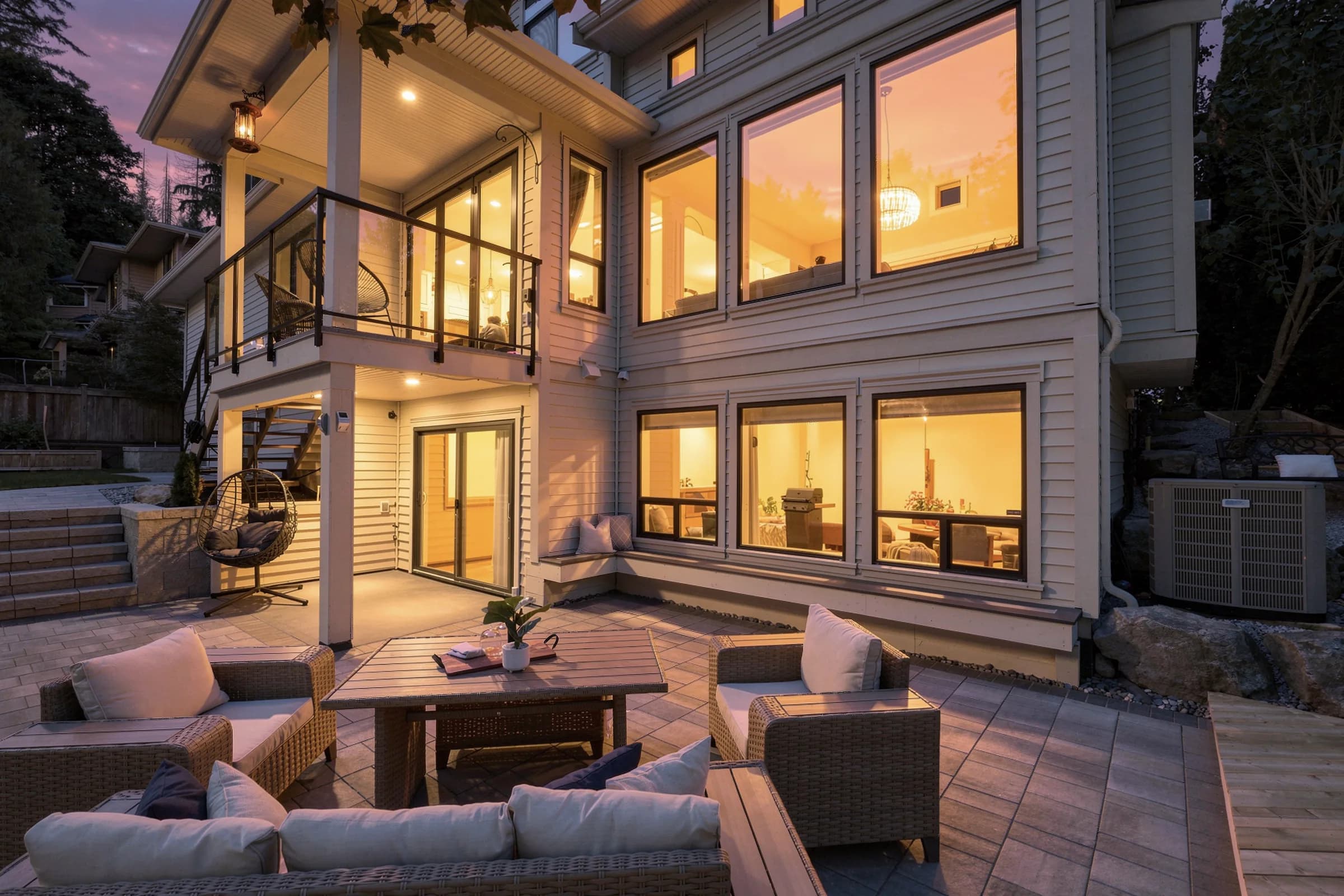
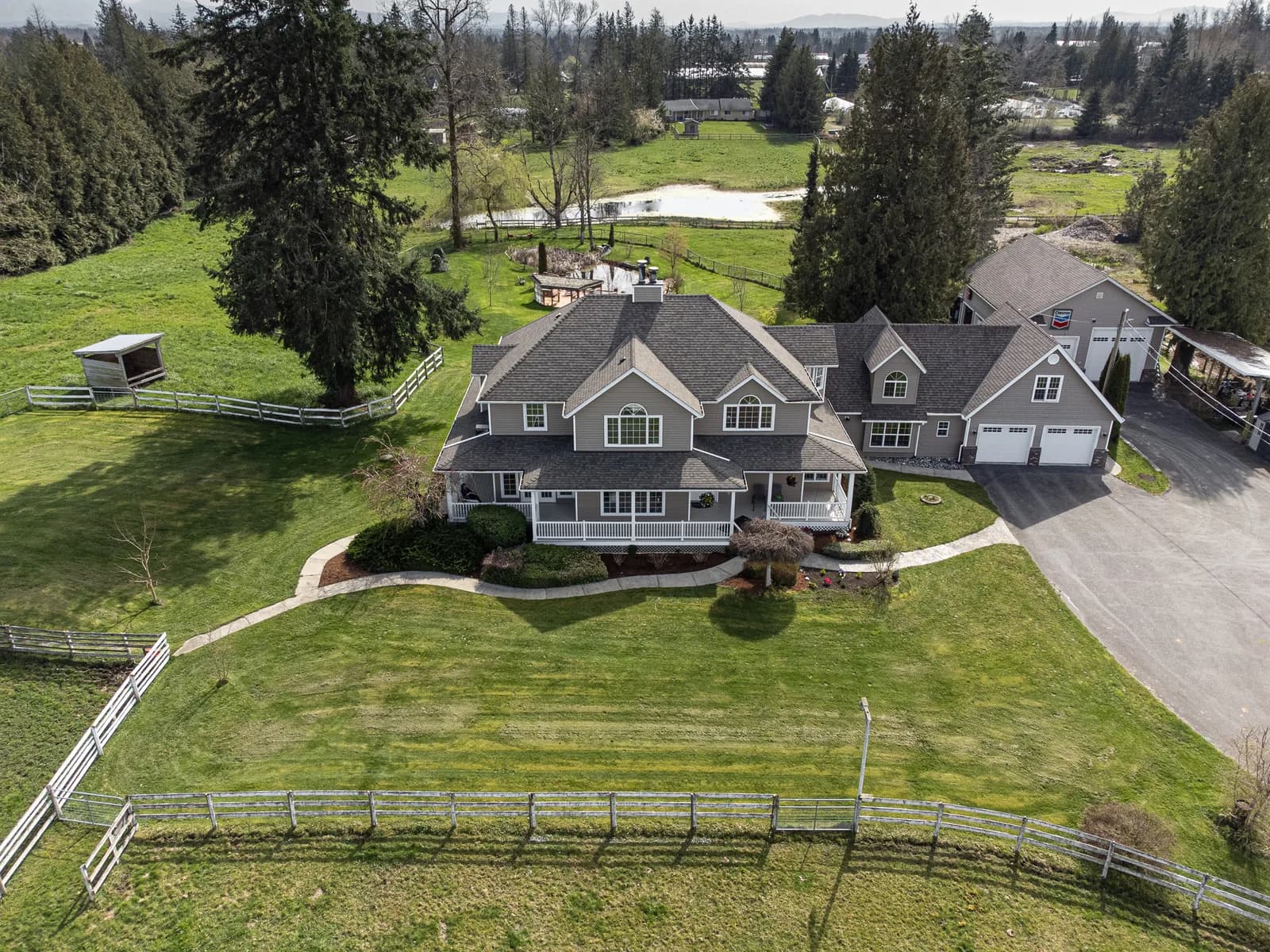
At Silver Valley Studios Inc., we use aerials to answer buyers’ first questions: Where is it? How big is it? What surrounds it? One 6–8 second orbit can reveal lot lines, roof condition, parking access, and proximity to greenspace in a single, elegant move.

To see how we deploy aerials for listings and campaigns, explore our aerial videographer guide and our drone videography company overview for strategy and examples.

  • Core moves: rising reveals, orbits, lateral slides, top-down pins, approach-and-settle at entry.
  • Technical traits: 3-axis gimbals, GPS/GLONASS positioning, log/flat profiles, 24/30 fps with 180° shutter rule.
  • Operational notes: 2–4 takes per move, battery swaps every 15–25 minutes, and dual backups on-site.

What is “Regular” Video?

For real estate, a smooth 45–90 second walkthrough communicates layout and sightlines. For restaurants, ground macro shots of plating and steam say “delicious” in under two seconds. For small businesses, interviews and action b-roll humanize the brand. See our real estate videography guide for structure and pacing we use with agents.

  • Strengths: eye-level relatability, accurate room scale, rich audio, repeatable motion, and precise lighting.
  • Tools: full-frame cameras, fast primes, 3-axis gimbals, wireless lav mics, bi-color LEDs for balanced color.
  • Deliverables: 16:9 tours, 9:16 Reels/TikToks, 1:1 teasers, and 7–12 second interview bites.

Drone Videography vs Regular Video: Key Differences

Aspect Drone Videography Regular (Ground) Video
Point of View Aerial, top-down, sweeping lateral Eye-level, intimate, human-scaled

Regulations Aviation rules, airspace checks Site permissions, local bylaws
Motion Long, floating moves over terrain Walkthroughs, sliders, gimbal arcs
Interiors Limited (space/prop wash) Strong (lighting + audio control)

Audio Not practical in flight On-camera, lavs, shotguns
Detail Shots Great for roofs/land Excellent for finishes/products
Weather Tolerance Wind/precipitation sensitive More flexible
Risk Envelope Airspace + bystander safety Cable/lighting safety

In practice, our edits often open with a 5–7 second aerial, then transition into a smooth interior walkthrough and 6–10 micro-cuts of fixtures and materials. This mix balances context and intimacy and keeps average watch time high on both listing pages and social posts.

Why the Difference Matters for Listings and Brands

  • Real estate: Use aerials when neighborhood setting, lot size, or roof condition influences value. Follow with a pacey walkthrough to answer layout questions fast.
  • Restaurants: Brief exterior aerial for place; ground macros for texture, color, and steam. It aligns with what we see when clients standardize on clean, consistent visuals.

    How the Combined Workflow Works

    1. Preproduction (45–60 minutes): Define the hook, map a 6–8 shot list, create a shot ledger, and confirm deliverables (16:9 master plus 9:16 cutdowns).
    2. Aerial block (30–45 minutes): Safety brief, test hover, 2–4 takes per move (orbit, top-down, lateral), quick on-site review.
    3. Ground block (60–120 minutes): Staging, lighting, repeatable paths on gimbal, 7–12 second interview bites if needed.
    4. Ingest + backup (20–30 minutes): Dual copies with verification; label cards and batteries for next use.
    5. Post (4–8 hours per edit): Color match profiles, music licensing, captions for social, thumbnail frame exports.

    We document this flow in every booking. If you want a deeper breakdown of camera movement choices, our drone aerial view guide and real estate videography guide cover pacing and transitions.

    Close-up of a professional drone gimbal camera used for real estate drone videography, showing sensors and stabilization

    How Drone Videography Works on a Shoot

    1. Discovery: What must viewers learn in 6–8 seconds (lot size, access, roof, water, transit)?
    2. Pre‑flight checks: Weather, sun angle, wind, obstacles, bystanders, and takeoff/landing zone.
    3. Camera setup: Log/flat picture profile, 24/30 fps, ND filters for 180° shutter.
    4. Move set: Orbit, lateral slide, rising reveal, top‑down pin; fly each twice.
    5. On‑site QC: Check focus, horizon, and micro‑jitters; re‑fly if needed.
    6. Data discipline: Label, verify, and back up cards before leaving.

    For additional aerial planning tactics and checklists, our drone photography guide dives into composition and light, and our drone imaging guide covers matching codecs for clean color grades.

    How Ground (“Regular”) Video Works on a Shoot

    1. Walkthrough map: Entry → living → kitchen → primary → bath → patio/yard.
    2. Staging + lighting: Declutter, set practicals, add soft LEDs to shape faces and textures.
    3. Camera tune: Gimbal balance, repeatable speeds, and matched white balance with aerials.
    4. Audio: Wireless lavs for interviews; capture natural room tone for transitions.
    5. Coverage: Wide, medium, macro (hardware, tile, fixtures, textures).
    6. Social bites: 1–2 second hooks; 6–15 second Reels cutdowns.

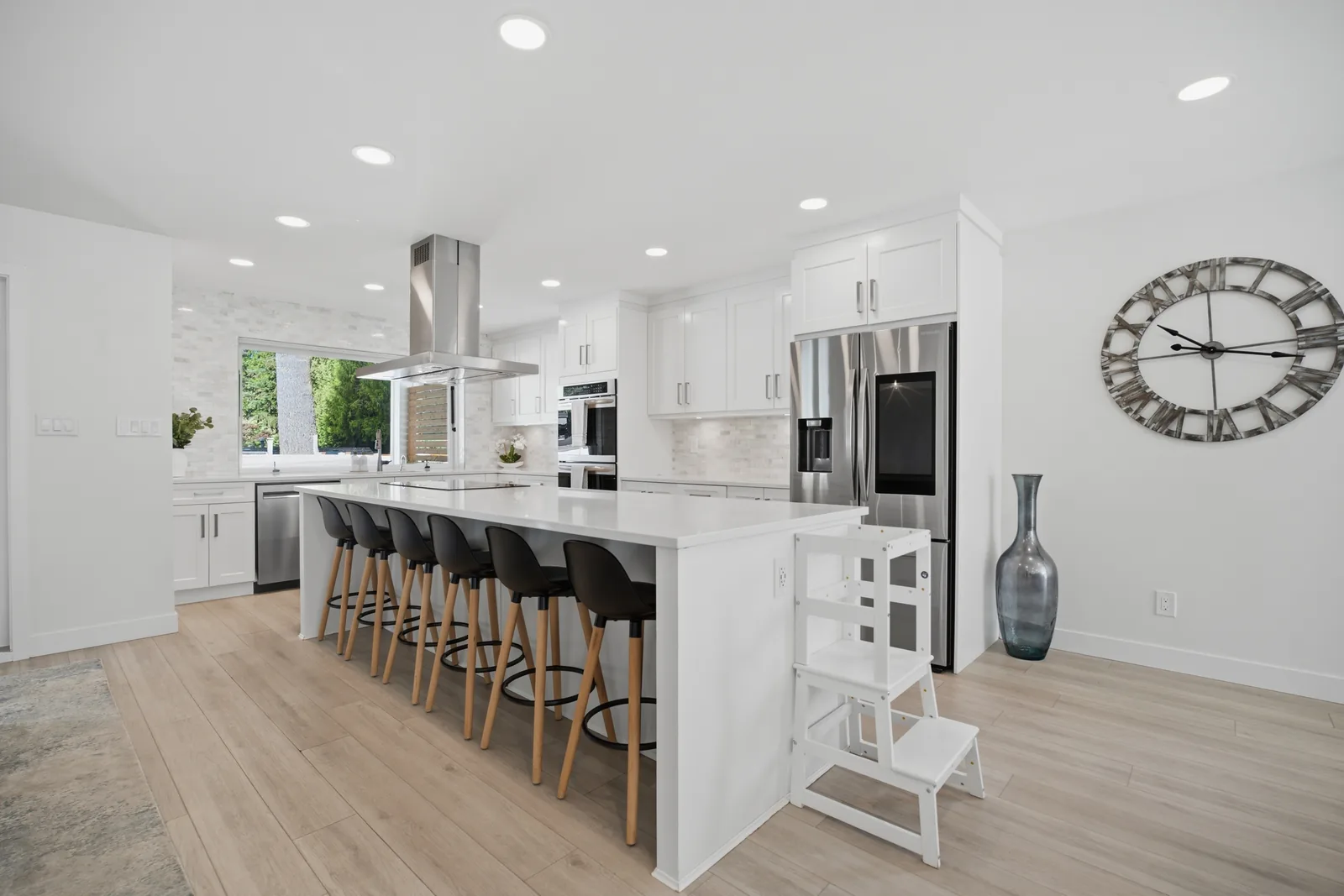
    Ground videography with a 3-axis gimbal filming a bright staged living room for a real estate walkthrough video

    Types, Methods, and Approaches

    Drone moves that sell the scene

    • Rising reveal: Start low behind trees or a fence; lift to show skyline and lot lines.
    • Top‑down pin: Hover 90° overhead to display parking, walkability, and access.
    • Orbit: 180–360° around the subject to demonstrate symmetry and scale.
    • Lateral slide: Track along a property edge or waterfront to add depth.
    • Approach and settle: Fly toward the front door, settle, and hand off to ground.

    Ground sequences that build desire

    • Hero walkthrough: A single, steady path that answers layout questions quickly.
    • Micro‑details: Hardware, tile, and fixture cutaways signal quality in 1–2 seconds.
    • People in frame: A chef plating; a trainer cueing posture; a realtor opening doors.
    • Interview bite: 7–12 seconds of voice to anchor the brand or call to action.
    • Vertical hooks: Front‑load motion or steam for thumb‑stop moments on Reels/TikTok.

    Want more aerial composition tips that boost buyer interest? Skim our drone aerial view guide next.

    Best Practices for Blending Aerial and Ground Footage

    • Match the math: 24 or 30 fps across both cameras; use ND filters to hold 180° shutter.
    • Profile parity: Shoot log/flat or standard on both to simplify grading.
    • Movement continuity: If the aerial pans right, start the ground shot moving right.
    • Sound strategy: Record VO/interviews on the ground; layer music under aerials.
    • Storyboard handoff: End the aerial at the door; begin ground shot opening it.
    • Deliverables stack: 16:9 master, 9:16 Reels, 1:1 teasers, plus thumbnail frames.

    For a broader perspective on short vs. long video formats, this practical rundown on short vs. long‑form content pairs well with our own recommendations and testing.

    Soft CTA: Planning a listing video now? Our drone videography company guide outlines how we sequence sky-to-interior stories for Greater Vancouver agents.

    Planning, Permits, and Safety

    Local considerations for Maple Ridge

    • Weather swings can change wind and cloud cover within an hour; schedule flexible holds for aerials.
    • Short winter daylight demands exteriors first; move indoors mid‑day for ground sequences.
    • Neighborhood quiet hours matter; align takeoffs/landings and audio recording windows accordingly.

    On regulated flights, we review advisories and maintain pilot records. For ground crews, we manage cables, light stands, and foot traffic to keep homeowners, tenants, and staff safe. For composition tips that help even in tricky light, see our drone photography guide.

    Tools and Resources for Marketers and Agents

    • Cameras and glass: Full‑frame bodies with fast primes for clean interiors.
    • Stabilization: 3‑axis gimbals; drones with 3‑axis gimbals and obstacle sensing.
    • Filtration: ND/PL filters to lock shutter and control reflections.
    • Lighting: Soft, bi‑color LEDs to balance with daylight.
    • Audio: Wireless lav mics and on‑camera shotguns for nat sound and interviews.
    • Data discipline: Dual card recording, checksum backups, and folder templates.
    • Creative brief: Use a simple brief to align goals and deliverables; this Shopify creative brief guide is a solid reference.

    To round out a listing package, pair the video with HDR photos and clear diagrams. Our drone photos for real estate guide shows how stills and aerials complement each other in a buyer’s journey.

    Case Studies and Examples from Our Maple Ridge Work

    • Suburban family home: 6‑second rising reveal showed calm streets and greenspace. The 60‑second interior path focused on kitchen, great room, and the backyard handoff. Result: more saves and higher average watch time.
    • Townhome near transit: Top‑down pin established parking and walkability. Vertical micro‑cuts of storage, laundry, and finishes spoke to first‑time buyers. Result: more direct messages from comparison shoppers.
    • Restaurant re‑launch: A 4‑second lateral aerial anchored place, then macro steam and garnish shots carried desire. Result: an uptick in shares and reservations after posting.
    • Fitness studio: Exterior aerials clarified parking; ground clips showed coaching cues and equipment textures. Result: increased trial sign‑ups attributed to the video series.

    For more examples of how we stage exteriors and interiors for motion, scan our aerial videographer guide alongside the real estate videography guide.

    FAQ: Drone Videography vs Regular Video

    Do I need drone footage for every listing?

    Not always. Use aerials when exterior context, lot size, proximity to amenities, or roof condition matter. For tight urban sites or condo interiors, ground video often delivers more value. Many listings perform best with one aerial opener plus a clean interior walk‑through.

    Can I record usable audio while flying a drone?

    Generally no. Rotor noise overwhelms microphones, and safe operating distance places the aircraft too far from subjects. Record voiceover or interviews on the ground, and layer music or ambient sound in post for aerial segments.

    What’s the ideal length for a property video?

    Aim for 45–90 seconds for listing tours, with 6–15 second cutdowns for social. Lead with a short aerial establishing move when location is a selling point, then switch to a smooth interior walkthrough and detail cuts to hold attention.

    Is drone filming legal in residential neighborhoods?

    Yes when compliant. Crews must follow national aviation rules, maintain safe distances from people and property, and respect municipal bylaws and privacy. Professional teams perform airspace checks and safety briefs, and they avoid schools in session and restricted areas.

    Conclusion and Next Steps

    • Key takeaways: Aerial = context and scale; ground = flow, finishes, and people.
    • Action steps: Write a one‑page brief, storyboard 6–8 shots, and pre‑assign the sky‑to‑door handoff.
    • Next move: Browse our real estate videography guide and drone videography overview, then book your Maple Ridge shoot when ready.
Share this post

Subscribe to our newsletter

Keep up with the latest blog posts by staying updated. No spamming: we promise.
By clicking Sign Up you’re confirming that you agree with our Terms and Conditions.

Related posts