

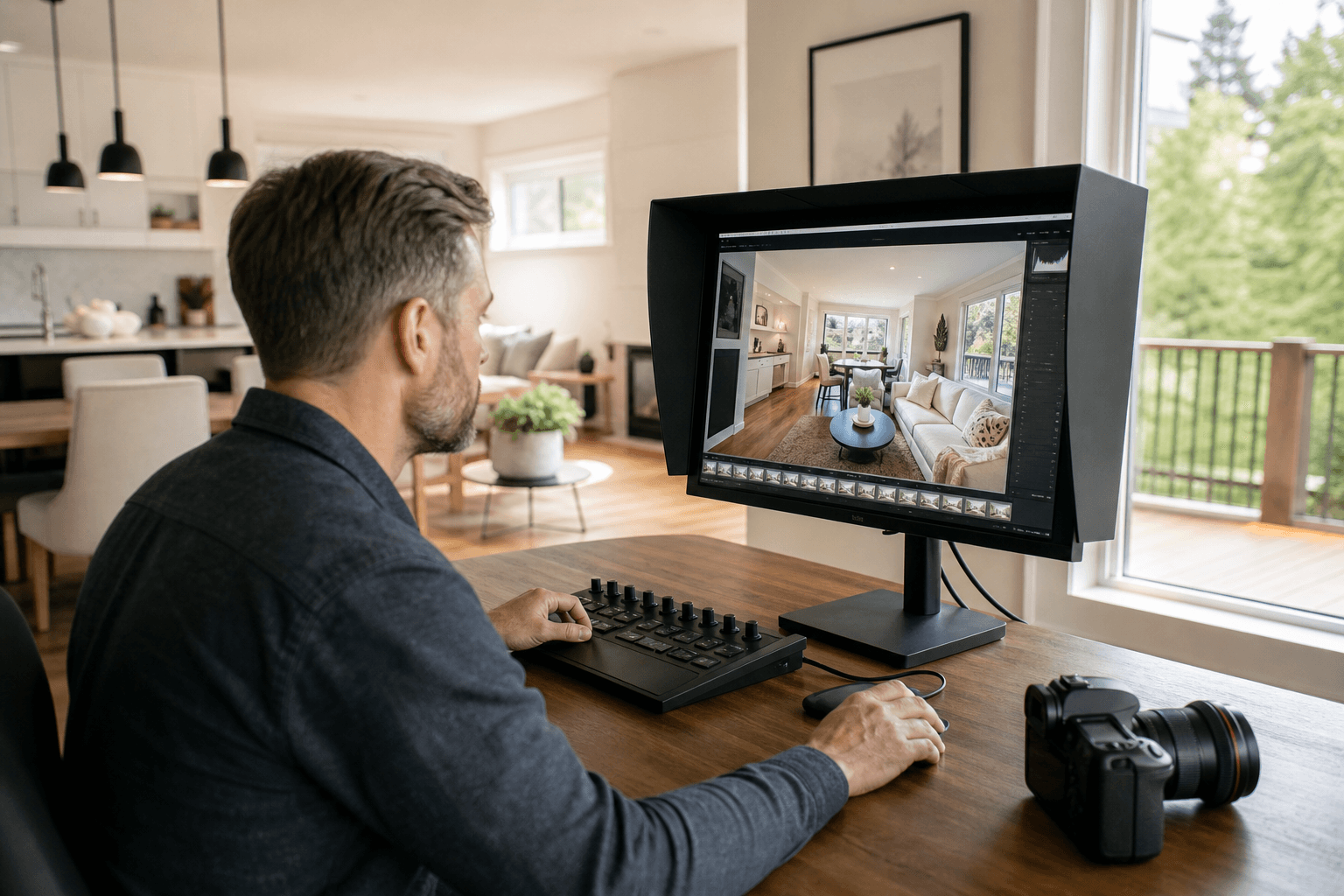
Colour grading for a real estate listing is the controlled refinement of colour, brightness, contrast, and consistency after images or video have been captured and blended. The goal is not to make a property look dramatically different. It is to present rooms, materials, light, and surrounding context in a polished way that remains believable.
For Langley realtors and property marketers, the most useful standard is simple: the final media should look cohesive, natural, and faithful to the property. That means attractive visuals without exaggerated saturation, artificial window light, distracting colour casts, or inconsistent rooms.
Quick summary

- Colour correction fixes technical issues such as exposure, white balance, and uneven colour.
- HDR blending combines multiple exposures to balance bright windows with darker interiors.
- Colour grading refines the final visual relationship between rooms, images, video clips, and delivery formats.
- Good listing media protects natural whites, wood tones, window detail, materials, and architectural lines.
- The strongest look for most listings is consistent and colour-true rather than heavily stylized.
What colour grading means for a real estate listing
Colour grading is a finishing stage that shapes how a completed image or video feels as a whole. It can adjust colour temperature, contrast, brightness, saturation, and the relationship between highlights and shadows so that a set of media looks intentional and consistent.
In a listing photo, grading may help a cool room feel balanced beside a warmer room, or ensure that a sequence of images has a consistent brightness and colour character. In listing video, it helps different shots sit together naturally as the camera moves from an exterior to an entry, living area, kitchen, or bedroom.
Grading should not change the essential appearance of a property. A white wall should not become cream simply to create a warmer mood, and natural wood should not be pushed orange to make an image look more dramatic. A strong foundation includes controlled light, level compositions, consistent colour, and careful post-production, as explained in these real estate photography basics.
Colour correction, HDR blending, and grading compared

These terms are related, but they describe different decisions. They may occur in the same production workflow, yet one does not replace the others.
| Stage | What it does | What it should protect |
|---|---|---|
| Colour correction | Balances exposure, white balance, contrast, and basic colour problems. | A technically coherent starting point and believable materials. |
| HDR blending | Combines exposures so bright windows and darker interior areas can retain useful detail. | Window views, shadow detail, and balanced interiors. |
| Colour grading | Refines the overall visual character and consistency across the finished media set. | A unified look without excessive saturation or misleading colour. |
HDR is not the same as colour grading. A successful merge can still need perspective correction, colour balancing, brightness adjustment, and a final review for halos or unnatural tones. The HDR real estate workflow shows how exposure blending, perspective correction, and restrained colour decisions work together.
Why natural grading matters in listing media
Listing media has to help viewers understand a property quickly. Photos establish the visual impression, video communicates movement and flow, drone footage adds exterior context, and floorplans clarify layout. If the colour treatment changes noticeably from one asset to another, the presentation can feel disjointed.
A dramatic look may suit a brand campaign or editorial project, but real estate media usually benefits from restraint. Viewers need to see the relationship between paint, flooring, cabinetry, countertops, landscaping, and natural light. A grade that prioritizes effects over accuracy can create the wrong expectations before a showing.
Consistency also matters within a single photo set. If one room is cool and grey while the next is strongly warm, viewers may interpret the difference as a property feature rather than an editing inconsistency. A cohesive grade helps the listing tell one visual story while leaving the property itself as the subject.
Property details the grade should protect
Natural whites and paint colours
White walls, ceilings, trim, and cabinetry can pick up blue, yellow, or green casts from windows, bulbs, and nearby surfaces. Colour grading should balance these influences without making every surface look flat or sterile.
Wood, flooring, and other materials
Wood tones are particularly easy to over-warm or oversaturate. A strong edit preserves the distinction between flooring, cabinetry, furniture, and painted surfaces.
Windows, views, and landscaping
Bright windows often require careful exposure work before grading. The finished image should retain useful exterior detail where possible, but not create glowing edges or halos around the window frame. Grass, trees, sky, and landscaping should remain plausible rather than unusually vivid.
People and lifestyle footage
When an agent or another person appears in a property video, skin tones need to remain natural. The overall grade should support the property without making people look unusually orange, pale, or green.
Colour grading cannot compensate for every capture problem. Major mixed-lighting issues, inaccurate exposure, movement between source frames, or a poorly chosen composition may need to be addressed earlier. Grading is a finishing decision, not a substitute for careful photography or videography.
How to recognize good colour grading
Review the media as a complete set rather than judging one attractive frame in isolation. A natural, market-ready grade will usually pass these checks:
- Rooms have a consistent colour and brightness relationship.
- Whites look believable rather than strongly blue, yellow, or grey.
- Wood, flooring, paint, stone, and fabric retain their likely real-world appearance.
- Windows contain useful detail without bright halos or artificial glow.
- Shadows retain enough information to show the room without making every area unnaturally bright.
- Architectural lines remain natural.
- Saturation adds clarity without making grass, sky, wood, or walls look exaggerated.
- Photos, video clips, and social crops appear to belong to the same listing.
Compare finished files with the property as seen during the shoot. If a material, wall colour, window view, or outdoor feature looks substantially different, ask whether the change reflects technical correction or an unnecessary stylistic choice. Guidance on colour-true editing emphasizes natural whites, wood tones, accurate geometry, and careful HDR blending.
Common colour-grading problems to avoid
Excessive saturation
Extra saturation can make a listing look lively on a small screen, but it can also distort paint, plants, flooring, and exterior views. If colour attracts more attention than the room itself, the grade is probably too strong.
Heavy contrast and crushed shadows
Deep contrast can add impact, yet overly dark shadows hide room details. Conversely, lifting every shadow can produce a flat image with no sense of depth.
Colour casts between rooms
Different light sources can make one room look green, another blue, and another orange. Some variation may reflect the property, but obvious inconsistency across the set usually indicates that colour balance needs more attention.
Window halos and artificial highlights
HDR processing can create bright outlines around windows, rooflines, or other high-contrast edges. A final inspection should check edges, reflections, moving objects, and areas where exposures were merged.
Why capture and HDR workflow affect the final grade
Colour grading works best when source material is organized and technically usable. Consistent compositions, purposeful exposure sets, controlled light, and accurate file grouping give the editor more reliable information. When source frames do not match, aggressive editing may be needed, and the result can look less natural.
For HDR photos, exposures for each composition should be aligned and merged carefully. The completed image still needs review for repeated edges, movement, halos, unnatural colour, and excessive tone mapping. Perspective and architectural lines should be corrected before final colour decisions are judged.
This is why the capture-to-delivery workflow matters as much as the final slider adjustments. A balanced image usually comes from several restrained decisions rather than one dramatic effect.
Questions to ask a Langley listing media provider
- What does “natural colour” mean in your visual style?
- How do you match colour and brightness from room to room?
- How do you handle bright windows and mixed interior lighting?
- How do you check for halos, colour casts, or over-processed shadows?
- Will the photos and listing video have a consistent visual character?
- Which files are prepared for MLS, print, and social media?
- What is the best way to flag a colour that does not accurately represent the property?
These questions help distinguish thoughtful, property-focused grading from a preset or dramatic style applied without considering the space.
What this means when preparing a Langley listing
Start by deciding what the media needs to communicate: the home’s light, layout, finishes, outdoor setting, or overall atmosphere. Then brief the provider on the platforms and deliverables required, whether that includes still photos, a property video tour, vertical social content, drone media, or a 2D floorplan.
A coordinated shoot can make it easier to keep the visual treatment consistent across formats. Silver Valley Studios provides real estate photography and videography, HDR photos, cinematic 4K and vertical video, 2D floorplans, and drone media, with Langley included in its regional service area. You can review the available real estate media services when planning the scope.
Frequently asked questions
Can colour grading change the actual colour of a room in listing photos?
It can change how a room appears, which is why restraint matters. A responsible grade balances colour and exposure while preserving the likely appearance of paint, flooring, cabinetry, and other materials.
Are HDR blending and colour grading the same thing?
No. HDR blending combines exposures to manage differences between bright and dark areas. Colour grading refines the finished image or video’s colour, contrast, brightness, and consistency.
Should listing photos and property videos use the same colour grade?
They do not need to be identical frame by frame, because stills and video have different technical requirements. They should feel like they represent the same property, with a matching overall colour character and brightness.
Choose accuracy and consistency over effects
Colour grading is most useful when it refines rather than disguises. The right result keeps whites believable, protects wood and other materials, controls window detail, preserves useful shadows, and gives every listing asset a consistent visual relationship.
When comparing providers for a Langley listing, review complete photo sets and videos for natural colour, careful HDR work, clean lines, and consistency across formats. Silver Valley Studios Inc. provides real estate media for Langley and surrounding regional markets, including photography, video, drone coverage, and 2D floorplans. Visit Silver Valley Studios Inc. to discuss your listing media needs.