

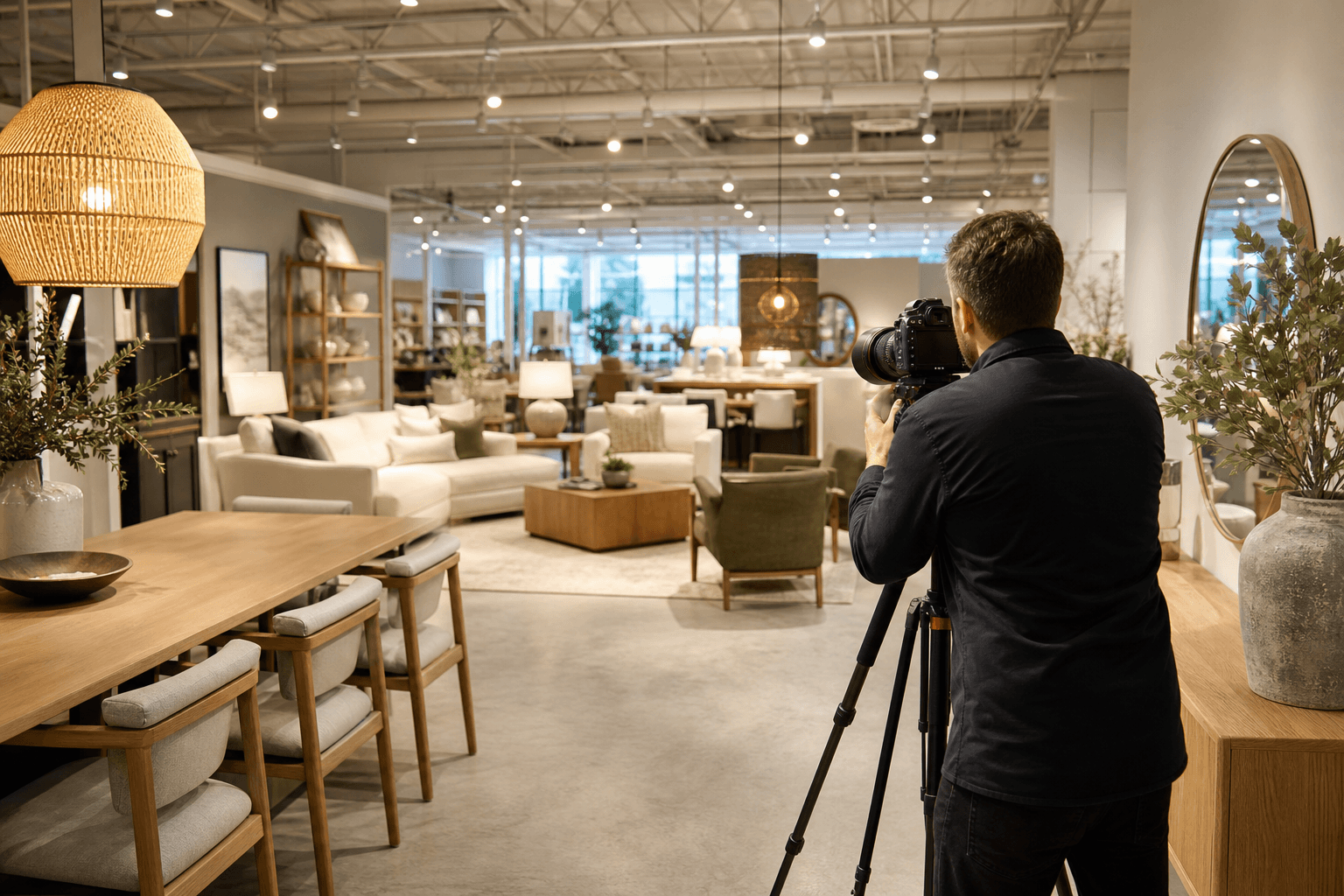
Effective commercial photography for showrooms starts with the purpose of the content, not the camera. A showroom may need clear documentation of its layout, polished images of products and displays, or brand-led content that helps customers understand the experience before they visit.
The right brief combines a focused shot list with deliverables suited to the intended channels. This guide explains what to capture, when to choose photography or video, how to prepare the space, and what to confirm with a commercial media provider.
Quick summary

- Decide whether your priority is documenting the space, presenting products and displays, or creating brand content.
- Use still photography for websites, brochures, listings, press materials, and evergreen brand assets. Add video when movement, atmosphere, or customer flow matters.
- Build the shot list around exterior context, layout, displays, materials, hero areas, people, and brand details.
- Prepare merchandising, lighting, signage, access, staff, and priority areas before the crew arrives.
- Confirm formats, orientation, intended channels, permissions, delivery requirements, and scope before booking.
Start with the job your showroom content needs to do
Before choosing commercial photography for a showroom, identify what the images must help someone understand. A property manager may need accurate views of the space. A retailer may want products and displays to look considered and inviting. A brand team may need a library of consistent content for its website, campaigns, and social channels.
Documenting the space
This approach prioritizes the building, layout, access points, circulation, finishes, and relationship between different areas. It is useful when viewers need to understand the showroom before visiting or discussing it with a team.
Presenting products and displays
Here, products, merchandising, feature walls, materials, and display arrangements lead the story. The photographer should know which collections or installations matter most so the shoot does not treat every corner as equally important.
Creating brand-led content
Brand content shows more than an attractive interior. It communicates how the business feels, how staff assist customers, how products are used, and what makes the experience recognizable. This may involve people, demonstrations, consultation moments, or planned detail shots.
Compare showroom photography, video, and social-first content

There is no single correct media package for every showroom. The most useful choice depends on where the content will appear, how long it must remain useful, and whether the audience needs a still reference or a sense of movement through the space.
| Approach | Best suited to | Strengths | Decisions to confirm |
|---|---|---|---|
| Photography only | Websites, brochures, commercial listings, press materials, and evergreen brand assets | Clear, reusable views of the space, products, displays, and details | Image count, priority areas, orientation, retouching, and intended formats |
| Photography plus video | Launches, campaigns, property marketing, brand stories, and presentations | Combines visual reference with movement, atmosphere, and spatial sequence | Duration, aspect ratio, sound, people, narration, music, and approval process |
| Social-first content | Instagram, TikTok, short-form campaigns, and ongoing updates | Creates concise, vertical clips built around hooks, products, and moments | Posting channels, frequency, captions, talent, shot sequences, and delivery format |
When photography alone is the right choice
Still images may be enough when the main need is a polished visual record of the showroom. A strong set can support a website gallery, commercial property presentation, brochure, media release, supplier presentation, or campaign that already has video handled elsewhere.
Ask for a deliberate mix rather than similar wide angles. Wide images establish the room, mid-range images explain display zones and circulation, and detail images show materials, finishes, product features, signage, and craftsmanship.
Photography is also easy to reuse across layouts. Landscape images may suit websites and presentations, while portrait or square compositions can support social posts. Confirm required crops before the shoot so important products or signs are not positioned too close to the frame edge.
When adding video creates more useful coverage
Video becomes valuable when the audience needs to feel how the showroom unfolds. A planned sequence can move from the exterior to the entrance, through key zones, and towards a product or feature area. It can also show scale, transitions, staff interaction, and atmosphere that a single frame cannot fully convey.
Video requires more planning than recording the same images in motion. Confirm the intended length, orientation, delivery channels, music or narration, captions, people on camera, and whether the video should feel like a walkthrough, brand story, or product-focused presentation.
Cinematic 4K video may suit a fuller website or campaign asset, while shorter edits can support presentations and social publishing. The choice should follow the audience and channel rather than production style alone.
When vertical content should lead the plan
Vertical video is useful when short-form social content is a primary publishing goal. It can focus on a strong opening view, product reveal, display transformation, staff interaction, material detail, or short path through the showroom.
Plan these clips as their own deliverables. A landscape video cropped afterwards may lose the product, person, or architectural feature that makes the shot useful. A social-first brief should specify vertical framing, clip length, captions, branding, intended platforms, and whether several short sequences are needed.
Build a practical showroom shot list
A shot list keeps the session focused and helps the photographer balance context with detail. Adapt the framework below to the showroom’s size, product category, campaign, and audience.
1. Exterior context and entrance
Consider the building approach, storefront, exterior signage, entrance, accessibility cues, and relevant surroundings. These views help viewers recognize the business and understand how the showroom is approached. Remove temporary signs, parked vehicles, bins, and other distractions where practical.
2. Layout, circulation, and customer experience
Capture wide views that explain the overall arrangement, then show pathways, sightlines, transitions between zones, consultation areas, and important points of orientation. Keep compositions accurate and uncluttered. If the customer journey matters, plan a sequence that follows it logically.
3. Products, displays, materials, and hero areas
Identify the products or collections that must appear, the displays that deserve emphasis, and the one or two areas that should anchor the visual story. Include feature walls, textures, finishes, lighting details, fixtures, and carefully arranged product groupings.
Separate product-focused images from architectural context. A wide image may explain how a display sits in the room, while a closer frame can show its materials, construction, or presentation details.
4. People, service moments, and brand details
Decide whether staff, customers, demonstrations, consultations, or lifestyle moments belong in the brief. Plan uniforms, props, timing, consent, and preferred interactions in advance. People should support the story rather than appear unexpectedly in controlled documentation.
Match deliverables to the publishing channel
Brief the media provider around use, not just file type. A website may need polished landscape images and a short introductory video. Social channels may need vertical clips. A sales presentation may need clear display details and images that remain legible beside text.
HDR photos for balanced showroom interiors
Showrooms often combine windows, artificial lighting, reflective materials, and darker display areas. HDR photography can help produce balanced interior stills that show the room, finishes, displays, and available light more clearly. Ask how the desired look will preserve accuracy, especially where product colours and materials are important.
Cinematic and vertical video for different audiences
Cinematic video can present a fuller spatial story, while vertical video is designed for social-first viewing. Confirm aspect ratio, duration, movement style, captions, music, narration, and delivery resolution. If content will be reused across platforms, ask whether alternate versions are included in the agreed scope.
When drone coverage may or may not fit
Drone coverage is usually more relevant to a standalone commercial property, campus, large site, exterior setting, or showroom where the surrounding location is part of the story. It is not automatically useful for an interior retail space, and availability depends on the location, airspace, permissions, weather, and scope.
A drone view may help establish a large site’s setting, but it may add little to a compact showroom whose value is primarily inside. A provider should assess the address and intended use rather than treat aerial coverage as automatic.
How to prepare a showroom before the shoot
The following is a general preparation checklist. Final priorities should reflect the products, campaign, and visual style agreed with the photographer or media team.
- Merchandising: Complete displays, align products, replenish missing items, and decide which collections lead the story.
- Decluttering: Remove boxes, personal belongings, temporary paperwork, loose cables, bins, and unnecessary equipment.
- Lighting: Replace failed bulbs, decide whether blinds or curtains should be open, and identify lighting that must remain on.
- Signage: Check logos, pricing, promotional messages, directional signs, and temporary notices for accuracy.
- People: Confirm staff availability, uniforms, consent, demonstrations, and quiet periods for customer-facing scenes.
- Access: Reserve parking or loading access, share entry instructions, and identify restricted areas or security procedures.
- Priority areas: Mark must-have displays and note anything that cannot be moved, photographed, or shown publicly.
- Safety: Keep walkways clear and explain hazards, access limits, or equipment restrictions before the session.
Coordinate multiple deliverables efficiently
When the scope supports it, coordinating several media deliverables in one appointment can reduce repeated preparation and keep the visual style consistent. Silver Valley Studios states that, for applicable property media bookings, photos, video, drone coverage, and measurements can be captured during one visit. That statement should not be treated as a showroom-specific promise, so confirm what is suitable for your location and brief.
Whether one appointment is practical depends on the showroom’s size, operating hours, product preparation, people required, lighting conditions, and number of deliverables. A clear schedule should identify which scenes are shared across formats and which require separate setups.
What to include in your booking brief
A concise brief gives a provider enough context to recommend useful coverage and identify constraints early. Include:
- The showroom address, access instructions, parking details, and building requirements.
- The purpose of the content and the audiences who will view it.
- Publishing channels, including website, print, presentations, social platforms, or commercial listings.
- Priority products, displays, rooms, finishes, brand details, and people.
- Required orientations, file formats, resolutions, captions, and alternate versions.
- Preferred dates, operating hours, quiet periods, and launch deadlines.
- Permissions for staff, customers, logos, products, music, signage, and surrounding properties.
- How revisions, approvals, delivery, licensing, and contingency planning will be handled.
Ask to see relevant examples of the provider’s visual consistency and commercial work. Also ask whether the quoted scope covers capture only or includes editing, formatting, alternate crops, short-form versions, and agreed brand treatment.
Choosing a commercial media provider in Maple Ridge and Greater Vancouver
For a local showroom project, assess more than image quality. Look for clear communication, a practical planning process, relevant commercial or brand-content experience, dependable delivery, consistent editing, and willingness to discuss how the content will be used.
Silver Valley Studios Inc. is based in Maple Ridge and offers commercial space visuals, business branding visuals, photography, videography, social media content, and related media services. Its broader offerings include HDR photos, cinematic 4K video, vertical video, drone photography and video, and other property media formats. The company serves Maple Ridge and communities including Abbotsford, Mission, Chilliwack, Langley, Surrey, Coquitlam, Burnaby, and Richmond.
When comparing providers, use your brief as the evaluation tool. A provider that can explain which deliverables fit your channels, flag location or permission issues, and define the scope clearly is easier to assess than one that presents a long list of equipment or generic services.
Frequently asked questions
Should I book photography or video for a showroom?
Choose photography when you need reusable still images for a website, brochure, presentation, or display documentation. Add video when movement, atmosphere, customer flow, staff interaction, or a fuller spatial story is important.
What should be included in a commercial showroom photography brief?
Include the address, purpose, audience, channels, priority products and areas, people required, orientations, deliverables, access details, permissions, schedule, and launch date. Confirm editing, formatting, licensing, revisions, and delivery expectations.
Can a showroom photo and video shoot happen in one appointment?
It may be possible when the showroom is prepared, the schedule is realistic, and the scope is agreed in advance. Ask how stills, video, people, product setups, lighting, and additional formats will be sequenced.
Are HDR photos useful for retail and showroom interiors?
They can be useful where windows, artificial lighting, displays, and darker areas need to appear in a balanced interior image. Discuss brightness and colour accuracy, particularly for materials and products.
When is vertical video worth adding to showroom content?
Vertical video is worth considering when social channels are a priority or when you need short, mobile-first clips for ongoing brand communication. Plan vertical sequences during the shoot instead of relying on a landscape-video crop.
Is drone photography appropriate for a showroom or commercial property?
It may be appropriate when the site, campus, exterior setting, access, or surrounding property is part of the story. It is less likely to add value when content focuses entirely on an interior showroom. Address-specific airspace, permissions, weather, and safety checks are essential.
Choose coverage around the showroom’s next use
The strongest showroom shoot begins with a clear decision about what viewers need to understand. Document the space when layout and context matter, prioritize products and displays when merchandising leads the story, and add brand-led or social-first content when the audience needs to see the experience in action.
Before booking, finalize the shot list, prepare the showroom, identify publishing channels, and confirm formats, permissions, timing, delivery, and scope. This turns commercial photography from a general request into a focused content plan that is easier to produce and use.
For projects in Maple Ridge and surrounding British Columbia markets, Silver Valley Studios Inc. offers commercial space visuals, business branding visuals, photography, videography, and related media services for businesses and commercial projects.