

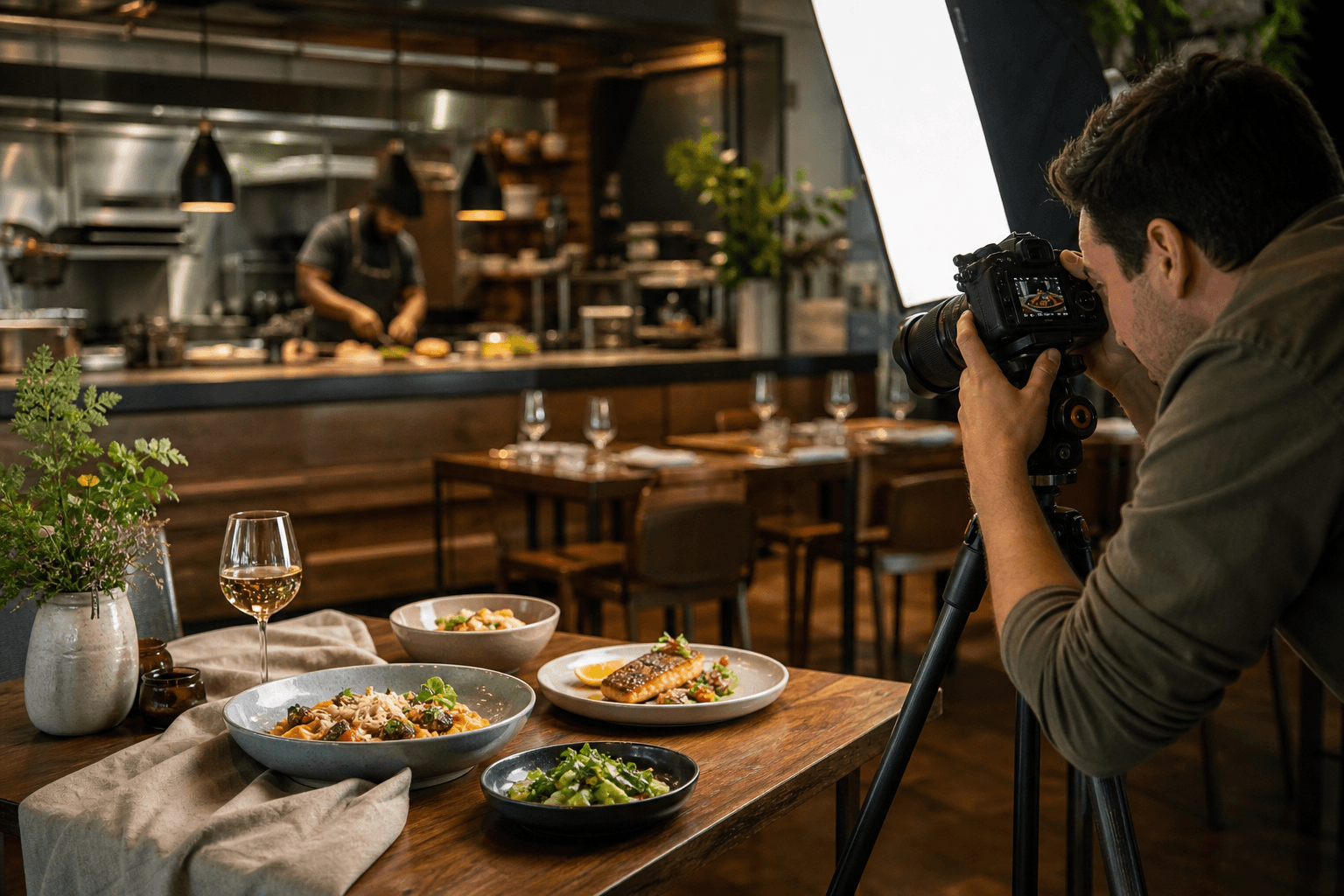

This step-by-step how-to shows restaurant owners and managers how to plan a focused campaign, run an efficient shoot day, and turn one session into a week of social posts and paid tests. Read this when you need a clear offer, a short shoot checklist you can hand to a photographer or use in-house, caption and vertical-video templates, and a one-page campaign worksheet you can use now.
Step 1: Start with one offer, one audience, one channel, one CTA
Begin by choosing a single, time-bound promotion and a primary audience. Keeping the campaign simple makes creative testing and measurement easier. Marketing advice for restaurants recommends anchoring promotions to a single verified offer that targets one customer group and one primary channel before expanding to paid ads; this helps the team execute without operational friction and lets you test creative paths before scaling paid spend (Restaurant Promotion Ideas | ViralPlate).
Why the single-offer rule works
- It focuses creative and messaging so customers immediately understand what to do.
- It reduces internal errors when teams must fulfil the offer during service hours.
- It gives a single metric to measure success, such as reservations or online orders.
Picking a target customer and channel
Choose one core customer segment (for example, nearby office workers for weekday lunch, families for weekend brunch, or foodies for a chef’s special). Pick a primary channel where that audience is discoverable, such as Instagram Reels for discovery, Facebook events for local reach, or email and SMS for existing guests.
Clear CTAs that convert
Use direct CTAs: Book, Reserve, Order online, or Claim offer. If you plan paid tests, create a single landing page or reservation link for the campaign to avoid tracking confusion, and test one creative variation before boosting the top performer (Restaurant Marketing Ideas | ViralPlate).
Step 2: Quick pre-shoot checklist to fix discovery and first impressions
Before producing any promotional content, tidy the discovery points customers use to find you. Basic updates will help your content convert when people click through.
Pre-shoot fixes
- Update business hours and holiday hours in your Google Business Profile and reservation platforms. Accurate hours are critical to first impressions and walk-in conversions (Promoting a Brand-New Restaurant in Canada | Toast).
- Refresh your online menu and short venue description so they match the promotion and set correct expectations.
- Collect high-resolution menu files, logo assets, and any current brand guidelines to share with the photographer or editor.
- Validate reservation and delivery links so the campaign CTA leads to working pages.
Step 3: Plan the shoot day — exact shot list and timing
Use this ordered shot list on shoot day to save time and capture all the assets you will repurpose across channels. Silver Valley Studios provides HDR photos, vertical videos, drone coverage, and other services that match the list below, which you can hand to a studio or adapt for a DIY shoot (Silver Valley Studios Inc.).
Ordered shoot-day shot list (60–90 minute efficient script)
- Exterior hero, daytime and golden-hour variations, optional drone exterior if legal and safe to fly.
- Interior wide shots: empty dining room, bar, and key design details.
- Table set and ambience details: place settings, glassware, texture close-ups.
- Hero plated dish: staged, clean background, one high-angle and one 45-degree close-up.
- Plated close-ups for menu thumbnails and social square crops.
- Process shots: chef plating, hands preparing a signature item, garnish close-ups.
- Staff-in-action and candid hospitality moments to show service and atmosphere.
- Short vertical scenes: 5–10 second clips for Reels/TikTok (sizzle plate reveal, pour, flame, walk-in guest cheers).
- Optional lifestyle dining scene with guests or staged friends for tableside energy.
Props, styling, and timing tips
- Keep one styled plate as the anchor hero. Shoot it early and again near the end for variations.
- Sequence shots from static to dynamic to reduce resets: start with wide, then plated, then process, then verticals with action.
- Bring extra napkins, fresh garnish, and a small spray bottle to revive shine without altering taste.
For composition and lighting ideas, see inspiration and layouts in the Silver Valley studio portfolio and the internal resource on restaurant photography ideas.
Step 4: Decide: DIY or hire a professional studio

Deciding whether to DIY or hire comes down to quality needs, frequency, and staff capacity. Use these criteria to choose.
Decision criteria
- Quality needed: If you need polished HDR photos, cinematic vertical videos, or aerial shots, hire a studio with those capabilities.
- Frequency: For regular monthly content, a studio relationship can be more efficient. For a one-off promotion, a single professional shoot is often more time- and cost-effective than repeated DIY attempts.
- Staff time: If the team is busy during service, hiring reduces operational strain and speeds delivery.
- Social-first needs: Short-form vertical video and multiple aspect ratios require editing time that studios routinely bundle into deliverables.
Vendor checklist: what to ask a studio
- Do you provide HDR photos, vertical edits, and short social cuts? Confirm the exact deliverables.
- Will you include stills both with and without people for ad use?
- What file sizes and aspect ratios will you deliver for web, print, and Reels/TikTok?
- Can you supply usage and ad licensing terms in writing?
- Ask for sample turnaround expectations, not promises, and examine previous restaurant work for brand fit (Silver Valley Studios Inc.).
Step 5: Deliverables to request and usage to secure
Ask for concrete files so assets are immediately publishable across platforms. Request a written usage licence that permits paid ad use and third-party platforms.
Essential deliverables
- Hero stills: one full-resolution file for web hero and one resized square for social.
- Crop set: square (1:1), landscape for web banners (16:9), vertical (9:16) for Reels/TikTok.
- Short-form video cuts: 15-second and 30-second edits, and a longer 60-second cut if you plan email or web use.
- Stills with and without people to use in ads where model releases may be necessary.
- Master raw or high-resolution TIFF/JPEG files plus web-optimised JPGs for fast uploads.
Usage checklist
- Obtain written permission for paid advertising and aggregator platforms, and confirm whether the studio retains any usage restrictions.
- Ensure any people featured sign simple model releases when the content will be used in ads.
Step 6: Repurpose a single shoot into a multi-channel campaign
One original food photo or interior shot can become many finished posts and ad creatives. Design a repurposing map and batch edits while the story is fresh. Using design previews turns one photo into dozens of post-ready assets (Restaurant Content Creation for Menus | Sowynet).
Asset mapping examples
- Hero plate photo → Instagram carousel: hero, close-up detail, chef shot, menu excerpt.
- Vertical sizzle video → 15-second Reel, 30-second Facebook clip, and a muted thumbnail GIF for stories.
- Interior wide → web hero image, OpenTable banner, Google Business Profile photo.
Caption templates that balance value and urgency
Promotional captions should combine clear value, a time limit, and a CTA. Avoid posting promotions only when quiet, which can damage cadence and credibility (Restaurant Social Media Posts | LocalBrandHub).
- Template A: "Chef’s special: [dish name], available this week only. Reserve a table now, link in bio."
- Template B: "Weekend brunch exclusive. Book before Saturday to get a complimentary [small item]. Reserve online."
- Template C: "Order tonight and get free delivery on orders over $X. Use code [CODE]. Order link in bio."
Step 7: Two-week launch calendar and a low-risk paid-test plan

Use this short editorial calendar for a time-limited launch. Run one creative test on a small audience before boosting a top performer; ViralPlate recommends testing creative and landing paths before scaling paid spend (Restaurant Promotion Ideas | ViralPlate).
Sample two-week calendar
- Day 1: Teaser photo plus reservation CTA.
- Day 3: Hero plated photo and short caption with limited-time detail.
- Day 5: Owner or chef story video, humanise the offer.
- Day 8: Reminder Reel showing the dish in action, push reservations.
- Day 11: Social proof post with a guest quote or review.
- Day 14: Last-chance reminder and final CTA.
Paid-test steps
- Create two creative variants that use the single offer and CTA.
- Run each creative to a small, targeted audience for three days and compare CTR and reservations.
- Scale the higher-performing creative and keep the messaging identical across channels.
Common objections and how to handle them
"We are too busy to shoot"
Book during a prep window or schedule a 60–90 minute low-interruption shoot. Prioritise the hero dish plus one interior wide and a short vertical clip.
"Content feels staged or inauthentic"
Prioritise candid staff-in-action and process shots. Mix staged hero shots with natural service moments for authenticity.
"Can we use drones?"
Drone footage can provide striking exteriors, but check Transport Canada rules and local municipal bylaws before scheduling aerial coverage. Do not rely on third-party claims about legal permissions without confirmation.
One-page campaign worksheet
Use this template to brief your team or a hired studio.
- Offer: [describe the single time-limited offer]
- Target audience: [eg, office lunch, families, couples]
- Primary channel: [Instagram Reels, Facebook, Email]
- CTA and landing link: [reservation or order URL]
- Key assets to capture: [hero plate, interior wide, vertical sizzle, staff shots]
- Deliverables requested: [file types, aspect ratios, social cuts]
- Test plan: [two creatives, budget, test duration]
- Publish dates: [two-week calendar dates]
Book a shoot or run the minimal DIY plan
If you want professional support, confirm the studio can deliver HDR photos, vertical-video edits, and short social cuts, and that usage rights for ads are included in writing (Silver Valley Studios Inc.).
Minimal DIY 60–90 minute shoot script
- 5 minutes: exterior hero and signage.
- 15 minutes: interior wide and table settings.
- 25 minutes: hero plated dish, close-ups and variations.
- 20 minutes: vertical action clips and staff-in-action candid shots.
- Final 10 minutes: quick crew shots and backup frames.
Frequently asked questions
Should I hire a professional photographer or shoot in-house for promotional content?
Hire a professional for polished HDR photos, cinematic verticals, or drone shots, and when staff time is limited. DIY is viable for simple hero shots and short vertical clips when you have time and a basic camera, but factor in editing time and quality tradeoffs.
What core assets should a 60–90 minute restaurant shoot produce?
A practical 60–90 minute shoot should aim to deliver a hero plate photo, interior wide, two to three close-up food shots, three 9:16 vertical clips for Reels/TikTok, and one staff-in-action image for social and ads.
Do I need a permit to use drone photography for my restaurant exterior in British Columbia?
Drone usage rules vary by airspace and municipality. Check Transport Canada guidance and local bylaws, and obtain necessary permissions before scheduling aerial coverage.
What should I ask a studio about usage rights and ad licensing before I book?
Request written terms that allow paid advertising on social platforms and use on third-party listing sites, and confirm whether the studio retains any residual rights. Also ask for releases for people featured in the assets.
Ready to make your next promotion simple and effective? Book a shoot with Silver Valley Studios Inc..