

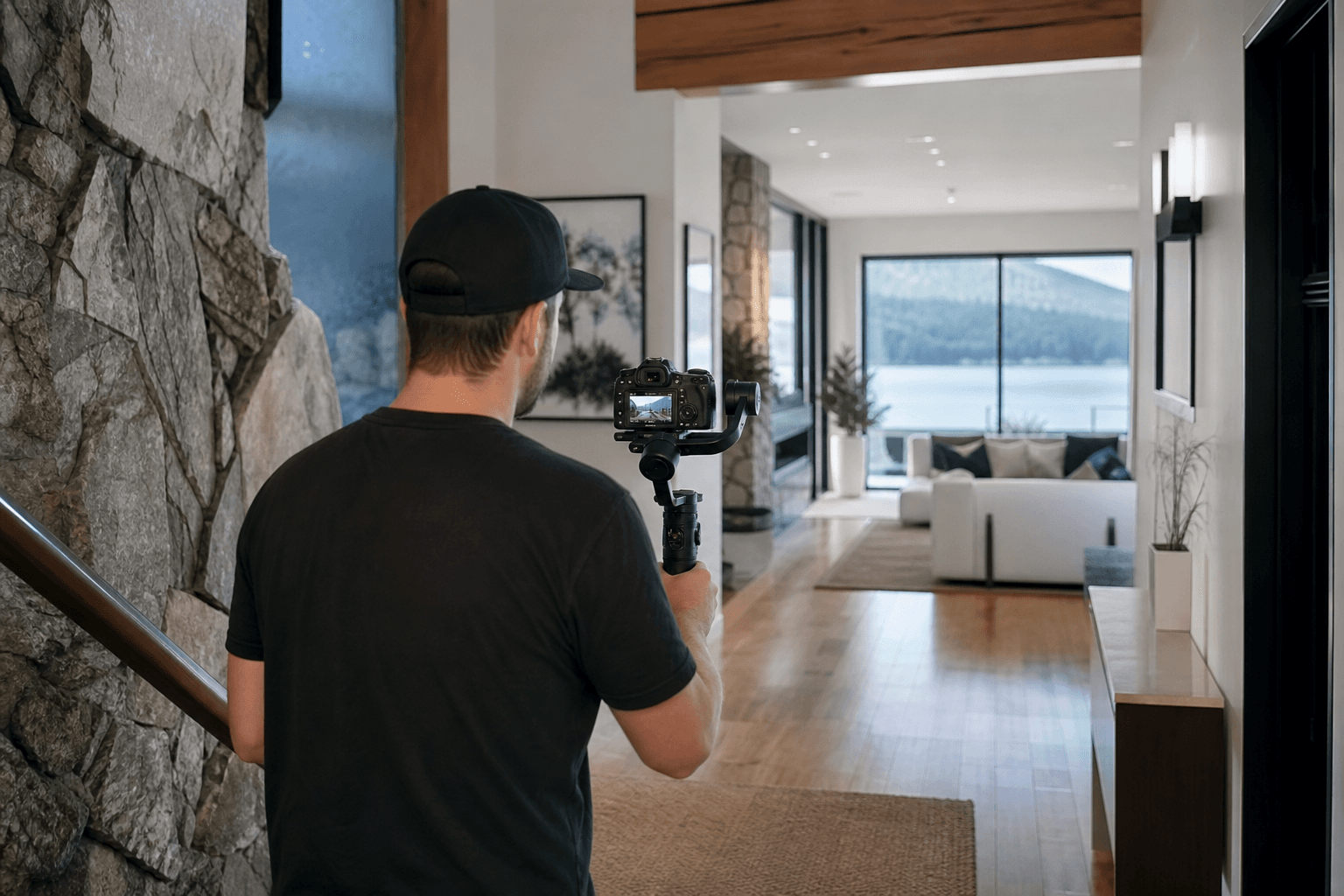
The right property video tours workflow depends on what a listing needs to communicate. A straightforward walkthrough can clarify layout, a cinematic tour can emphasize atmosphere and design, vertical video can support social channels, and drone coverage can show context beyond the walls.
The strongest choice matches the property’s features, intended audience and publishing channels. Video should also be planned with photography, drone coverage and 2D floorplans, since each deliverable answers a different question for prospective buyers.
Quick summary

- Choose a standard walkthrough when room-to-room orientation is the priority.
- Choose cinematic video when architecture, finishes or lifestyle atmosphere deserve emphasis.
- Add vertical video for concise, mobile-first social media content.
- Consider drone photography or drone videography when land, views, waterfront, acreage or exterior scale matter.
- Use HDR photos and 2D floorplans alongside video to provide detailed visual and spatial reference.
What a Property Video Tour Workflow Includes
A property video tour workflow is more than filming a camera moving through a home. It includes defining the objective, preparing the property, planning the sequence, capturing the selected formats, editing for the intended channel, reviewing the deliverables and publishing them with the rest of the listing media.
The key decisions should happen before the shoot. Identify the audience, decide which rooms and features deserve priority, and determine whether the main use will be a listing page, social media, an email campaign, a presentation or several channels. This prevents the production from trying to include every possible shot without a clear purpose.
Planning should also consider the property’s story. Viewers may need to understand how the entry connects to living areas, notice a distinctive kitchen or see how indoor and outdoor spaces relate. For more on using sequence and narrative intentionally, read how storytelling can improve a real estate video tour.
Silver Valley Studios offers real estate photography, cinematic 4K video, vertical video, property video tours, 2D floorplans, drone photography and drone videography, allowing these elements to be considered within one real estate media brief.
Property Video Tour Formats Compared

No single format is best for every listing. Use this comparison to select a primary approach, then add supporting formats only when they answer a separate communication need.
| Format | Best fit | Main strength | Tradeoff | Useful complements |
|---|---|---|---|---|
| Standard walkthrough | Listings where layout and flow need to be clear | Provides straightforward orientation | May place less emphasis on mood or social reuse | HDR photos and 2D floorplans |
| Cinematic tour | Design-led, distinctive or lifestyle-focused properties | Creates atmosphere and visual storytelling | Needs enough orientation for practical understanding | Detailed photography and a floorplan |
| Social-first vertical video | Reels, short-form posts and mobile-first promotion | Delivers concise content for social feeds | Limited duration and screen space require prioritization | A full tour and still photography |
| Drone-supported presentation | Listings where setting, land or exterior scale matters | Shows context interior footage cannot provide | Value depends on the property and production circumstances | Ground-based video, photos and floorplans |
Standard Walkthrough Video: Clear Orientation Through the Home
A standard walkthrough is often the clearest option when viewers need to understand a home’s arrangement. It can establish the entry, connect the main living spaces and show how rooms relate. This suits properties whose appeal depends on practical flow rather than one dramatic feature.
Before filming, identify the most logical route. Decide whether the sequence should begin with the exterior, entry or strongest interior space, and flag areas where the relationship between rooms is important. A consistent route makes the finished tour easier to follow.
The limitation is that a functional walkthrough may not fully communicate atmosphere, detail or lifestyle. It may also need a separate vertical cut for social feeds. Pairing it with well-planned photography and a 2D floorplan gives viewers more than movement alone. Silver Valley Studios’ comparison of real estate photography techniques provides further context for planning still imagery.
Cinematic Property Tour: Emphasising Atmosphere and Story
A cinematic property tour gives more attention to mood, visual rhythm, architectural details and the way a space might feel to occupy. It can suit a design-led home, distinctive renovation, luxury property or listing with strong lifestyle features.
This approach should still provide enough information for viewers to understand the property. A sequence focused only on close details may look polished while leaving layout questions unanswered. The brief should distinguish between establishing shots, connecting movement and detail shots.
Cinematic 4K video can be appropriate when presentation quality and storytelling are central to the listing’s identity. It is not a replacement for clear information, however. A floorplan and carefully selected still images provide reference points that atmospheric video may not. The objective is to combine emotional context with practical understanding.
Social-First Vertical Video: Shorter Content for Mobile Channels
Vertical video supports reels, short-form posts and social media content for realtors. It works best when the brief identifies a small number of priority features rather than attempting to compress the entire property into a rapid summary.
Before the shoot, decide what should make someone stop scrolling. That might be a notable view, carefully designed kitchen, unusual architectural element or strong indoor-outdoor connection. Plan a concise opening, supporting shots and an ending appropriate to the intended platform.
A vertical cut can complement rather than replace a full property video tour. The formats serve different viewing situations: one supports quick discovery, while the other allows an interested viewer to explore in greater depth. Confirm aspect ratios, file types and included versions before booking.
Drone-Supported Presentation: Showing Context Beyond the Walls
Drone photography or drone videography can add useful context when a property’s land, waterfront, views, acreage, exterior scale or surrounding setting is relevant to the decision. Aerial media can show relationships that are difficult to communicate from inside, such as a building’s position on its lot or the extent of an outdoor area.
Drone coverage should be selected for a clear reason, not added automatically. For a centrally located home where surrounding context is not a major feature, interior video and still photography may communicate more. When the setting is part of the property’s appeal, aerial media may be a useful supporting layer.
Discuss intended aerial shots and practical production circumstances with the provider before the shoot. Suitability can depend on the property and conditions, so identical coverage should not be assumed for every listing.
How Video Works With Photos and 2D Floorplans
Video, photography and floorplans are complementary because each answers a different buyer question:
- Video: How does the property feel and flow when moving through it?
- HDR photos: What do the rooms, finishes, views and details look like in a still reference?
- 2D floorplans: How are the rooms arranged and connected?
- Drone media: What is the property’s exterior context, setting or scale?
Coordination matters. The property should be presented consistently across deliverables, with the same priority features and a similar visual direction. At the same time, avoid duplicating every shot in every format. A kitchen can be a hero moment in video, a detailed still subject in photography and a clearly labelled area on the floorplan without creating three identical experiences.
For more on the still-image side, see the article on HDR workflow for natural listing photos. The principle is simple: build a media set in which each deliverable contributes information the others cannot provide as effectively.
Pre-Shoot Checklist for Realtors and Listing Teams
- Define the audience: Identify who the listing needs to reach and what they will want to understand first.
- Choose the channels: Note whether the media will appear on a listing page, social platforms, email, presentations or several channels.
- Identify priority features: List the rooms, finishes, views, outdoor areas and contextual details that should not be missed.
- Prepare the property: Complete staging, decluttering, cleaning and small repairs before capture.
- Confirm access: Arrange entry, occupants, pets, vehicles and access to exterior areas.
- Decide on the media set: Consider photography, a full tour, vertical video, drone coverage, 2D floorplans or a combination.
- Share brand requirements: Tell the provider about brokerage, team or personal-brand guidelines.
- Prepare a priority brief: Separate essential shots from optional ideas if time or conditions change.
Questions to Ask Before Choosing a Property Video Tour Provider
Compare providers based on fit and clarity rather than a vague promise of a particular result. Ask:
- Can I see examples similar in style, property type or scale to this listing? Review the Silver Valley Studios portfolio for relevant work.
- Which formats can you produce, including standard, cinematic, vertical and drone-supported content?
- How will you plan the sequence around the property’s strongest features?
- What versions, aspect ratios, resolutions and file formats will be delivered?
- Can the shoot be coordinated with HDR photos, drone coverage and 2D floorplans?
- What is included in the quoted scope, and what is priced separately?
- How are review comments and revisions handled?
- What turnaround expectations should I plan around?
- Who will communicate updates before and after the shoot?
- How are pricing, package selection and scheduling confirmed?
Look for answers specific to your listing rather than a generic package description. Clear scope is especially important when combining a full tour with short-form edits, still photography, aerial coverage and floorplans. Silver Valley Studios provides an online portal for booking and pricing, and its contact page can be used to clarify project requirements.
A Simple Decision Rule for Your Listing
Start with the property’s strongest selling feature, then identify where your audience will encounter the content. Choose one primary format and add supporting media only when it answers a separate question.
- Design-led home: Make a cinematic tour the primary video approach, then use detailed photography and a floorplan for practical reference.
- Home where layout matters: Prioritize a clear walkthrough, supported by 2D floorplans and still images.
- Listing with notable land or exterior context: Consider drone coverage alongside ground-based video.
- Social-focused campaign: Add vertical video with a defined hook and a short list of priority features, while retaining media for the full listing presentation.
Not every property needs every format. The right combination is the one that helps viewers understand the property in the places and formats where they are most likely to see it.
Frequently Asked Questions
Should a property video tour replace listing photography?
No. Video communicates movement, flow and atmosphere, while photography provides still references for rooms, finishes and details. A 2D floorplan adds spatial information.
When is vertical video worth adding?
Consider it when social platforms and mobile-first viewing are important. It works best with a few defined features and a concise sequence, and may complement a full tour.
Do all listings need drone videography?
No. Drone coverage is most relevant when land, views, waterfront, acreage, exterior scale or surrounding context contributes meaningfully to the listing.
What should a realtor prepare before a shoot?
Complete staging, cleaning and decluttering, confirm access, identify priority features and specify intended channels. Decide whether photography, floorplans, vertical video or drone coverage should be coordinated.
Can one provider coordinate video, photos, drone coverage and 2D floorplans?
Some providers offer these services together, but confirm the exact scope, formats and scheduling during the quote process. Silver Valley Studios lists all four among its real estate media services.
Choose the Workflow That Matches the Property
A property video tour is most useful when its format follows the listing’s communication needs. Use a walkthrough for orientation, a cinematic approach for atmosphere, vertical video for concise social content and drone-supported presentation for relevant exterior context. Use photos and 2D floorplans to answer questions that video cannot answer as efficiently.
Before booking, define the audience, priority features, publishing channels and complete media set. Ask the provider to confirm deliverables, scope, review process and scheduling details in writing.
Silver Valley Studios Inc. serves Maple Ridge, Greater Vancouver and Vancouver Island with real estate photography, videography, 2D floorplans and drone coverage. Review pricing or book a shoot through the online portal.