

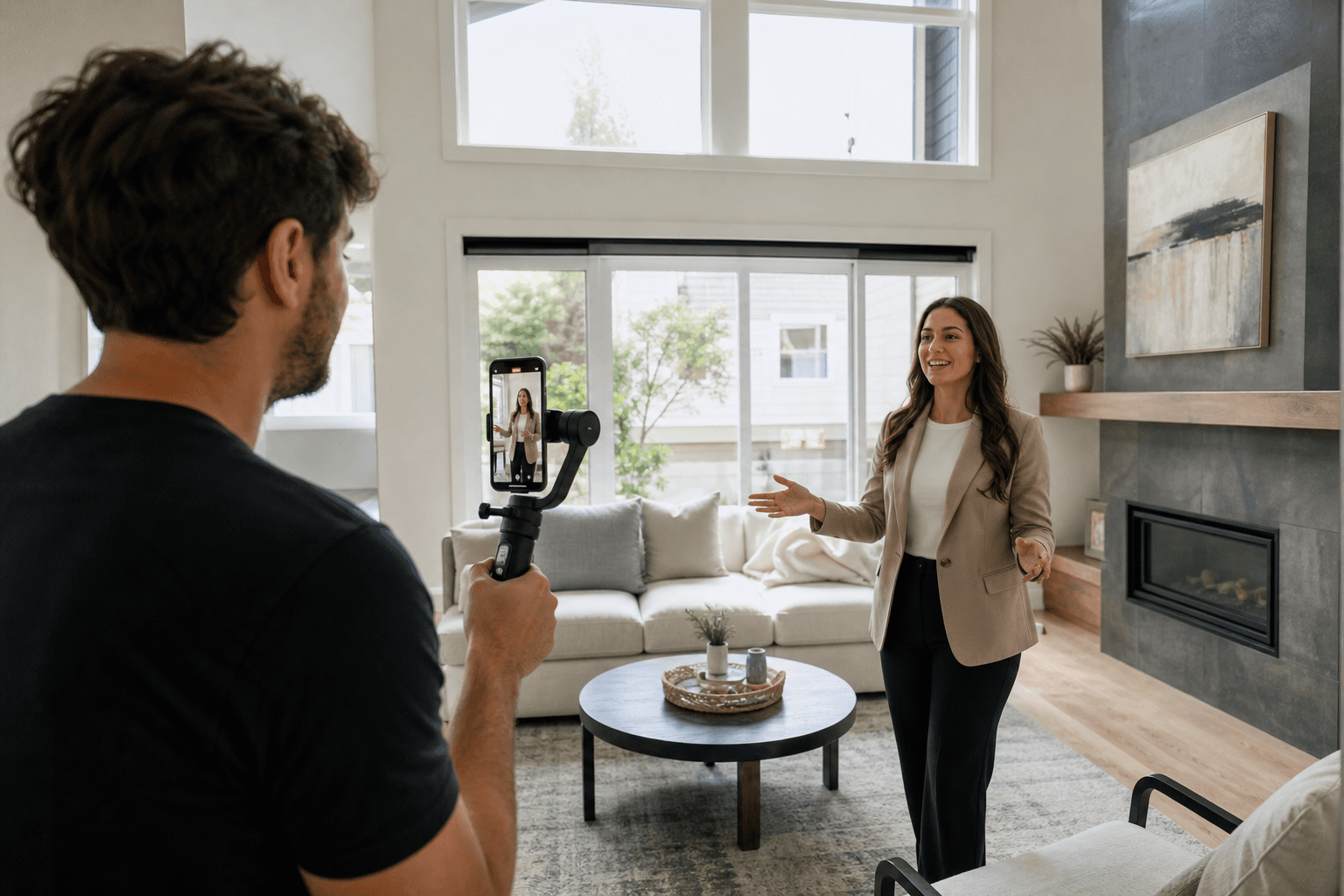
Vertical video strategies for Realtors involve more than filming a property with a phone held upright. A useful strategy connects each video to a defined audience, marketing objective, message, visual plan, call to action, and delivery format.
That might mean a short listing highlight for prospective buyers, an agent introduction for potential sellers, or a neighbourhood clip that supports local visibility. The portrait format is the delivery choice. The strategy is the set of decisions that makes the video purposeful.
Quick summary

- Choose one audience and one objective for each video.
- Match the format to the job, such as a listing highlight, feature spotlight, agent introduction, or seller education clip.
- Plan the hook, supporting visuals, captions, audio, branding, and one clear call to action before filming.
- Frame for 9:16 and keep important subjects and text clear of platform controls.
- Choose DIY filming, professional production, or a combined workflow based on the listing and your available time.
What is a vertical video strategy for Realtors?
A vertical video strategy is a plan for creating portrait-oriented, social-first video with a defined purpose. It covers the intended viewer, subject, story, visual style, production approach, publishing destination, and next step you want the viewer to take.
Vertical video is commonly delivered in a 9:16 portrait format for mobile-first channels such as Instagram Reels, TikTok, and YouTube Shorts. Before planning a Realtor content series, review these vertical video specs for framing, captions, audio, and export considerations.
The distinction matters because a vertical recording is not automatically a useful marketing video. A random sequence of rooms may show a property, but it may not answer a buyer’s question, communicate a compelling feature, or give viewers a clear reason to continue watching.
Start with one audience and one marketing objective

Decide who the video is for and what it should accomplish before choosing music, transitions, or camera movement. Trying to speak to buyers, sellers, other agents, and local residents in one short clip usually produces a vague message.
| Audience or objective | Useful direction | Possible next step |
|---|---|---|
| Prospective buyers | Show a distinctive feature, layout detail, or lifestyle moment | View the listing or request information |
| Prospective sellers | Explain your preparation, marketing, or communication approach | Send an inquiry or book a conversation |
| Local audience | Share a neighbourhood observation, amenity, or location detail | Follow or save the video |
| Past clients and referrals | Explain a useful process or behind-the-scenes step | Reply, share, or stay connected |
Write the objective in one sentence: “This video helps [audience] understand [one message] so they can [one next step].” That sentence becomes a practical filter for deciding which footage belongs in the edit.
Choose the right vertical content format
Different formats support different real estate marketing tasks. Listing highlights and property-detail clips create interest in a specific home, while agent introductions and seller education videos focus more on trust and expertise.
- Listing highlights: Introduce a home through one or two compelling features.
- Room or feature spotlights: Focus on a kitchen, view, outdoor space, storage solution, or other detail.
- Property-tour excerpts: Show flow or a transition between connected spaces.
- Agent introductions: Explain your role, approach, or local knowledge.
- Neighbourhood clips: Share a location or lifestyle consideration relevant to your audience.
- Seller education: Explain preparation, pricing conversations, showing readiness, or marketing decisions.
- Behind-the-scenes content: Show staging, shoot preparation, or listing presentation work.
Each format has limits. A short feature clip can create curiosity, but it may not explain an entire floor plan. An agent introduction can build familiarity, but it cannot replace complete listing media. For more structured realtor video ideas, match the format to the decision you want viewers to make.
Build each video around a hook, story, and call to action
A practical short-form structure is hook, proof, and next step. The hook gives viewers a reason to pay attention. The middle supports that promise with a small number of relevant visuals or spoken points. The call to action tells viewers what to do next.
Write the hook first
The opening should identify the subject or benefit quickly. For a listing, that could be a notable design feature, unusual layout, or clear buyer question. For seller-focused content, it could be a common preparation concern you can explain.
Use only supporting footage
Select visuals that prove or develop the message. Avoid adding unrelated rooms simply because they were filmed. On-screen text can identify a feature, while captions make spoken information easier to follow without sound.
Finish with one action
Use one next step, such as viewing the listing, sending a question, saving the video, or following for future local content. Multiple competing calls to action make the video harder to understand.
Set the technical foundation before filming
Plan for 9:16 from the beginning rather than cropping a horizontal video later. Keep the main subject and important information away from areas where captions or platform controls may appear.
- Frame the property, person, or detail vertically with room for natural movement.
- Keep branding and text within a safe central area.
- Record clean speech when the message depends on narration or an agent appearance.
- Use steady movement and consistent lighting.
- Add readable captions with concise wording.
- Confirm required delivery formats before editing.
These choices are creative as well as technical. A vertical frame can emphasize entrances, windows, people, and close details, but it may not show a wide room as naturally as a horizontal tour.
Plan one property shoot for multiple deliverables
Vertical reels should generally complement, not replace, the rest of a listing campaign. Photos present key spaces and details. A cinematic tour communicates movement and room relationships. Drone footage can provide broader context, while a 2D floorplan helps viewers understand scale and flow.
- Photos: Present spaces and details for browsing and listing promotion.
- Vertical reels: Create short, social-first entry points around a feature or message.
- Cinematic tours: Show how the property connects as someone moves through it.
- Drone media: Add aerial perspective where surrounding context matters.
- Floorplans: Help viewers interpret layout and room relationships.
This is the value of integrated listing media. Planning deliverables together can reduce repeated property preparation and create a more consistent visual treatment.
DIY, professional production, or a combined workflow?
There is no single correct production method. Consider the message, property, on-camera comfort, required polish, equipment, editing time, and number of deliverables.
| Approach | Best suited to | Tradeoffs |
|---|---|---|
| DIY filming | Quick updates, local observations, and personal commentary | Provides control and spontaneity, but requires your own planning, filming, editing, and quality checks |
| Professional production | Planned listing stories, polished agent content, and coordinated formats | Provides production support and consistency, but requires advance briefing and scheduling |
| Combined workflow | Polished listing media plus regular personal or behind-the-scenes updates | Balances consistency with immediacy, but needs clear ownership of each content type |
For agents who want one shoot to produce listing coverage and social-ready material, a realtor videographer workflow can coordinate planning, filming, editing, and delivery. A simple phone workflow may still suit spontaneous market observations.
For an outside example of how a Realtor may present marketing services, see this Toronto realtor marketing example as a reference point, not as evidence that the same approach will produce the same result for your audience.
A pre-shoot checklist for Realtor vertical video
- Audience: Who should care about this video?
- Objective: What should viewers understand or do?
- Subject: Which property, feature, neighbourhood detail, or professional topic is the focus?
- Hook: What will viewers understand immediately?
- Shot list: Which three to eight visuals support the message?
- Spoken line: What must be said clearly and briefly?
- Branding: Which name, logo, colours, or contact detail belongs on screen?
- Permissions: Have property, people, music, and privacy permissions been confirmed?
- CTA: What single action should viewers take?
- Delivery: Is the edit for social, a website, email, or more than one destination?
Instead of filming “the whole house,” plan a reel about how the kitchen connects to the living area. The hook identifies that relationship, the shots show the transition, and the call to action directs interested viewers to the listing details.
Measure usefulness without chasing vanity metrics
Review each video against its original objective. Watch time can help assess the opening and pacing. Clicks and profile actions may matter more when the goal is to move viewers towards listing information or your professional profile.
Saves and shares may indicate that viewers found the content useful, while replies and inquiries provide more direct evidence of conversation. Compare videos with similar purposes rather than treating one number as a universal benchmark.
When coordinated real estate media makes sense
Professional coordination can help when a listing needs photos, vertical and cinematic video, aerial coverage, and floorplans, or when the property will only be prepared once for a media visit. It is also useful when you need consistent framing, branding, and delivery across formats.
Silver Valley Studios Inc. states that its workflow can capture photos, video, drone coverage, and measurements in one visit. Its supplied website information describes standard delivery of HDR photos the same day, floorplans within 24 hours, and video within 48 hours under normal booking conditions. Confirm the current scope and timing when planning a project.
Frequently asked questions
Should every real estate listing have a vertical video?
No. Choose vertical video when it supports a clear objective and fits the property, audience, and distribution plan.
Can one property shoot produce both a cinematic tour and vertical listing reels?
Yes, if the shoot is planned for both formats. Discuss composition, camera movement, shot lists, and delivery versions before filming.
What should a Realtor say in the first few seconds?
State the most relevant promise or question for the audience. Identify the property’s strongest angle or introduce a useful buyer or seller insight.
Is it better to film vertical videos yourself or hire a professional?
DIY suits simple, timely, personal content. Professional production suits planned storytelling, polished visuals, coordinated deliverables, or editing support. A combined workflow can use both.
What information should appear on screen in a vertical listing reel?
Include only information that clarifies the message, such as a feature label, concise context, agent identification, or next step. Keep text readable and accurate.
Conclusion: Make every vertical video serve a job
A strong vertical video strategy for Realtors begins before the camera is turned on. Define the viewer and objective, choose a suitable format, write the hook, plan supporting footage, frame for 9:16, and finish with one useful call to action.
Then decide whether the video belongs in your DIY routine, a professional production plan, or both. When a listing needs photos, cinematic video, vertical reels, drone coverage, and floorplans, coordinating the deliverables can make the shoot more efficient and the campaign more cohesive.
For coordinated real estate media and vertical video services across Maple Ridge, the Lower Mainland, and Vancouver Island, contact Silver Valley Studios Inc. to discuss the listing, formats, and production approach.