


A practical guide to real estate media planning for agents and brokerages
Last updated: October 2026
Key takeaway:A visual content strategy for realtors should connect audience questions to the listing lifecycle, reusable master assets, accurate approvals, channel adaptations, usage rights and measurable next actions. Start with the decision a buyer, seller or past client needs to make, then choose the visual format that explains it clearly rather than chasing every platform trend.
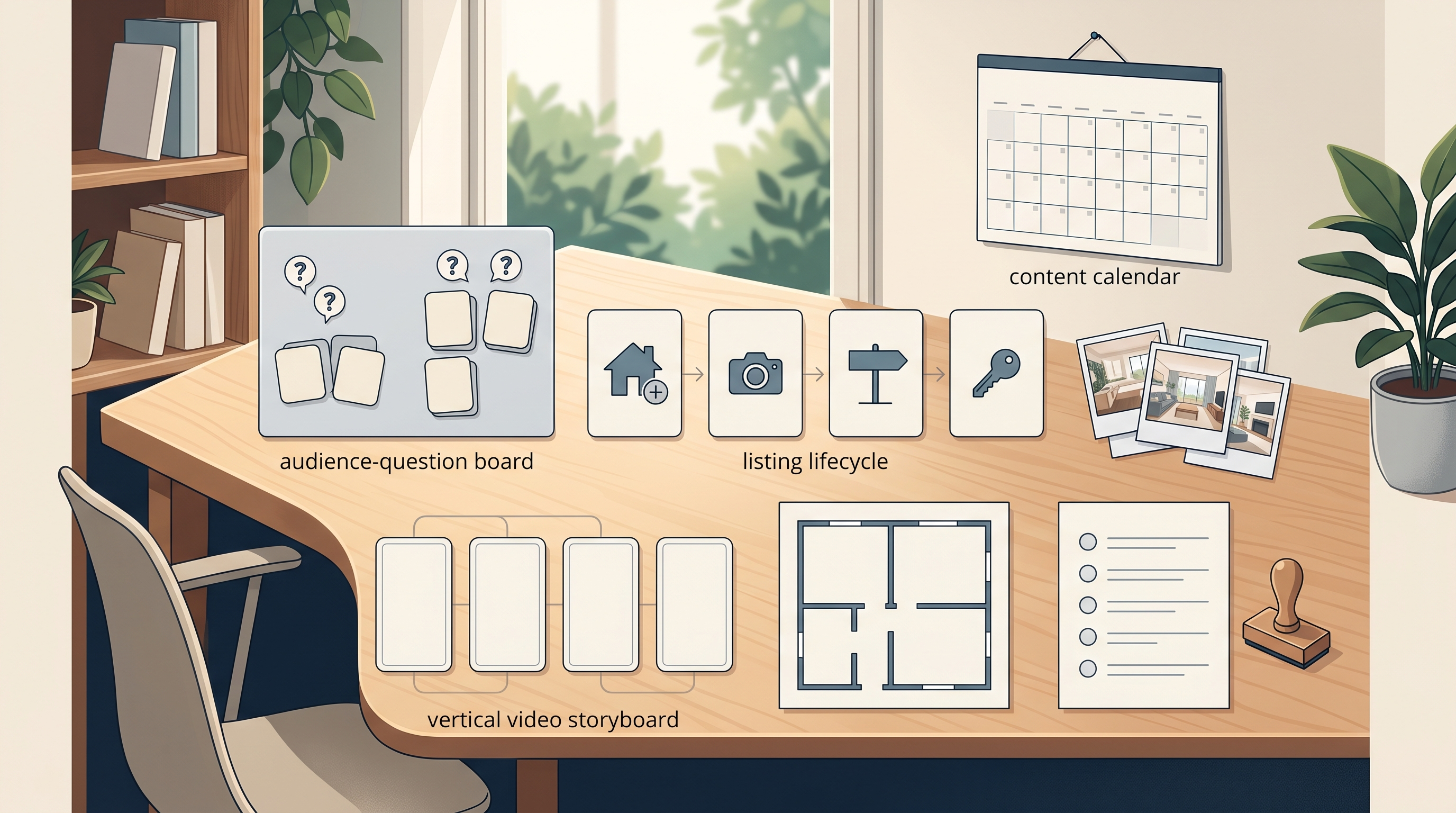
A useful strategy assigns every visual an audience question, verified source, approval owner, channel version, call to action and measurement plan.
Table of contents- Start with audience decisions
- Choose content pillars
- Build an asset matrix
- Create an accuracy workflow
- Plan the capture day
- Adapt assets by channel
- Clarify rights and privacy
- Measure useful signals
- Avoid common mistakes
- Frequently asked questions
Start with the decision your audience is making
Visual content works best when it helps someone understand a property, neighbourhood, process or professional point of view. List recurring questions from sellers, buyers and past clients, then group them by decision: whether to prepare a home, how a listing process works, what a layout means, which facts need professional verification or what happens after an inquiry.
Do not turn a property campaign into generic lifestyle content. A buyer examining a listing needs accurate space, sequence and condition context. A seller considering representation needs a clear view of process and deliverables, while a past client may value concise market-literacy or home-maintenance explainers with appropriate sources and caveats.
Silver Valley Studios provides real estate media and social media content services. Use the service information to frame a scope conversation, but confirm current deliverables, turnaround, rights, service area, pricing and availability before approval.
Choose content pillars with different jobs
Property understanding
Use accurate photography, video sequence and floorplan context to help viewers orient themselves. A visual does not verify measurements, legal use, permits or condition, so source each factual claim separately.
Buyer and seller education
Build short explanations around preparation, showing access, offer terminology or closing coordination. Keep regulated, legal, financial and property-specific advice with the appropriately qualified professional.
Professional perspective
Show how you prepare, communicate and make decisions without inventing client stories or outcomes. A process example can demonstrate clarity while transaction details remain private.
Give each pillar a fixed purpose and next action. Property content may lead to listing details; education may lead to a guide; professional perspective may lead to a consultation. Not every post needs an appointment request.
Build one visual content matrix for the quarter

Tie every asset to one audience question, verified source, approval owner, channel adaptation and useful next action.
| Stage | Audience question | Useful master asset | Possible adaptation |
|---|---|---|---|
| Evergreen education | How does this step work? | Horizontal explainer | Short clips, stills and checklist |
| Pre-listing | What should be prepared? | Process storyboard | Carousel and email section |
| Listing launch | How does the space connect? | Photo set, video and floorplan where scoped | Portal selects and vertical preview |
| Showing support | Which verified details matter? | Fact-led visual sequence | FAQ card and property-page section |
| After campaign | What can we improve? | Internal content review | Future brief improvements, not unsupported result claims |
Plan around master assets rather than isolated posts. A horizontal interview can yield vertical excerpts and still frames when framing, audio, captions and rights are planned in advance. A property shoot can support several placements when every crop remains accurate.
Create a source and approval workflow
Every property statement should have a source owner. Separate visual observation from verified listing fact: a room may appear renovated, but the date, permit status and work scope require records. A floorplan aids orientation but does not replace a survey, appraisal or legal description.
Use four approvals: property facts, visual accuracy, privacy and final channel version. British Columbia real estate advertising guidance emphasizes that advertising should be truthful, accurate and not misleading. Confirm the rules governing the actual professional, brokerage, property and platform before publication.
Define permitted edits. Exposure, colour balance and modest perspective correction may support a faithful image; removing damage, adding fixtures or changing a view can mislead. Label virtual staging clearly and preserve an accurate reference where required.
Plan capture around the complete asset system
Create a shot list tied to the matrix. Record orientation, room sequence, exterior context, detail, presenter segments, ambient sound and alternate crops. Decide which master shots need clean space for captions and which require both horizontal and vertical framing.
Confirm weather, access, occupants, pets, sensitive items and owner authorization. For every talking segment, write one audience question, three supporting points and one next action. Capture enough context that an excerpt remains accurate when separated from the longer piece.
Review the current real estate media portfolio to discuss visual fit, not to assume another property's scope, conditions or results will be the same.
Adapt each asset instead of blindly reposting it
A channel adaptation needs more than resizing. Reframe the opening for what a viewer can understand without prior context, add captions and descriptive text, and give the viewer a clear destination. Keep factual qualifiers visible and check current platform specifications at publication time.
Maintain a content ledger with the master file, approved facts, owner authorization, music or stock licences, versions, publication locations and expiry or removal conditions. If a listing changes status or a fact changes, the ledger helps locate every version that needs review.
Create a sustainable cadence from approved assets: move from an audience question, to a concise answer, to a property or process example, then to a deeper guide. Volume without a decision purpose creates noise and increases approval risk.
Clarify usage rights, privacy and drone planning
Confirm who owns the files, who may publish them, on which channels, for how long, whether paid advertising or third-party reuse is included and who can edit them. Obtain owner and occupant permissions appropriate to the capture and use. Remove visible personal data, security details, family photos, licence plates and private documents where needed.
Drone work needs flight-specific review. Transport Canada explains that requirements depend on what is flown, how, where, when and by whom. Its drone privacy guidance also addresses images and other information collected by drones. Never assume a property location or aircraft is approved because an earlier flight was permitted.
Measure content usefulness without promising outcomes
Choose measures that match the asset's job. For education, review qualified questions, guide visits or completion. For a listing, examine how viewers use the property page without claiming that a format caused showings or a sale. For process content, consider whether prospects arrive better prepared.
Record the baseline, period, channel, call to action and limitations. Engagement is not automatically a lead; a lead is not automatically a client; a viewing is not automatically a transaction. Use findings to improve the next brief rather than manufacture a success claim.
- Review which audience questions were answered.
- Identify assets that needed factual correction.
- Note which master files adapted cleanly.
- Compare useful actions with the stated purpose.
- Update the next quarter's matrix and retire stale content.
Common visual content strategy mistakes
Starting with a format trend
Begin with an audience decision, then choose the format.
Using one crop everywhere
Plan channel-specific framing, captions and context from the master asset.
Letting visuals imply unverified facts
Keep a source and approval record for property statements.
Ignoring rights and expiry
Document ownership, allowed uses, music, stock, talent and removal conditions.
Calling engagement a business result
Measure the action the asset was designed to support and state limitations.
Frequently asked questions
What should a realtor include in a visual content strategy?
Include audience questions, content pillars, listing stages, master assets, channel adaptations, factual sources, approval owners, usage rights, calls to action and measurement. This turns a posting schedule into a repeatable real estate media planning system.
How often should a realtor publish visual content?
Use a cadence your fact-checking and approval process can sustain. Consistency does not require daily posting, and a smaller set of accurate, reusable assets is more useful than rushed volume.
Should every listing include video and drone media?
No. Choose assets based on the property, audience question, access, budget, rights and legal feasibility. Confirm the actual scope and flight requirements rather than treating a format as mandatory.
Can one property shoot create a month of content?
Potentially, if the brief includes reusable master assets, multiple orientations, accurate context and usage rights. The final output depends on the property, scope, capture conditions and approved adaptations, so no fixed quantity should be assumed.
Create a one-page visual content brief
List the audience question, decision stage, verified facts, master asset, adaptations, approvals, rights, call to action and measurement. Review Silver Valley Studios' current educational content, then use its contact route for a project-specific scope. Confirm every deliverable and right before capture.